
Your blog goes out as a series: a pace and channels for every feed you give Borker
A feed of your own pieces now has settings of its own. Choose how fast Borker posts from it, which channels each piece goes to, and whether new pieces wait for you. Pieces go out in the order you published them. Read a feed on demand with Check now, and plan a selection on the channels you pick.
Borker reads your blog and your newsletter and turns each new piece into posts. Until now a feed had no settings of its own: a new piece took one place on whichever channel had the next free day, and a batch of pieces could land in any order. This release gives every feed a pace, a channel set and a switch, keeps your pieces in the order you published them, and lets you read a feed whenever you want.
A pace and channels for every feed
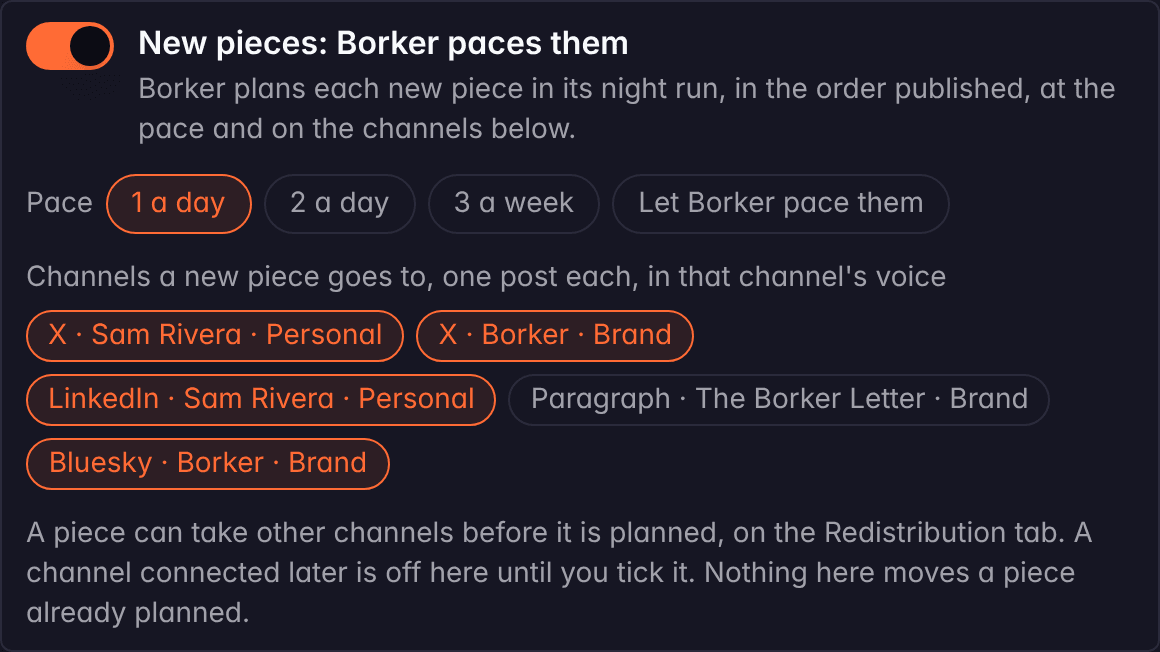
Open Settings, Sources, press Edit on a feed of your own pieces, and you get three settings under the name and the address.
New pieces: Borker paces them. On, Borker plans each new piece at the pace and on the channels below. Off, new pieces wait for you on the Redistribution tab until you plan them yourself.
Pace. How many pieces from this feed start on one day: 1 a day, 2 a day, 3 a week (Mondays, Wednesdays and Fridays), or Borker's own pace, which fills the open places in your week as it did before.
Channels. The channels a new piece goes to, one post per channel, each written in that channel's voice. A feed starts with every connected channel ticked except a newsletter, since a newsletter is its own writing. A channel you connect later stays off until you tick it.
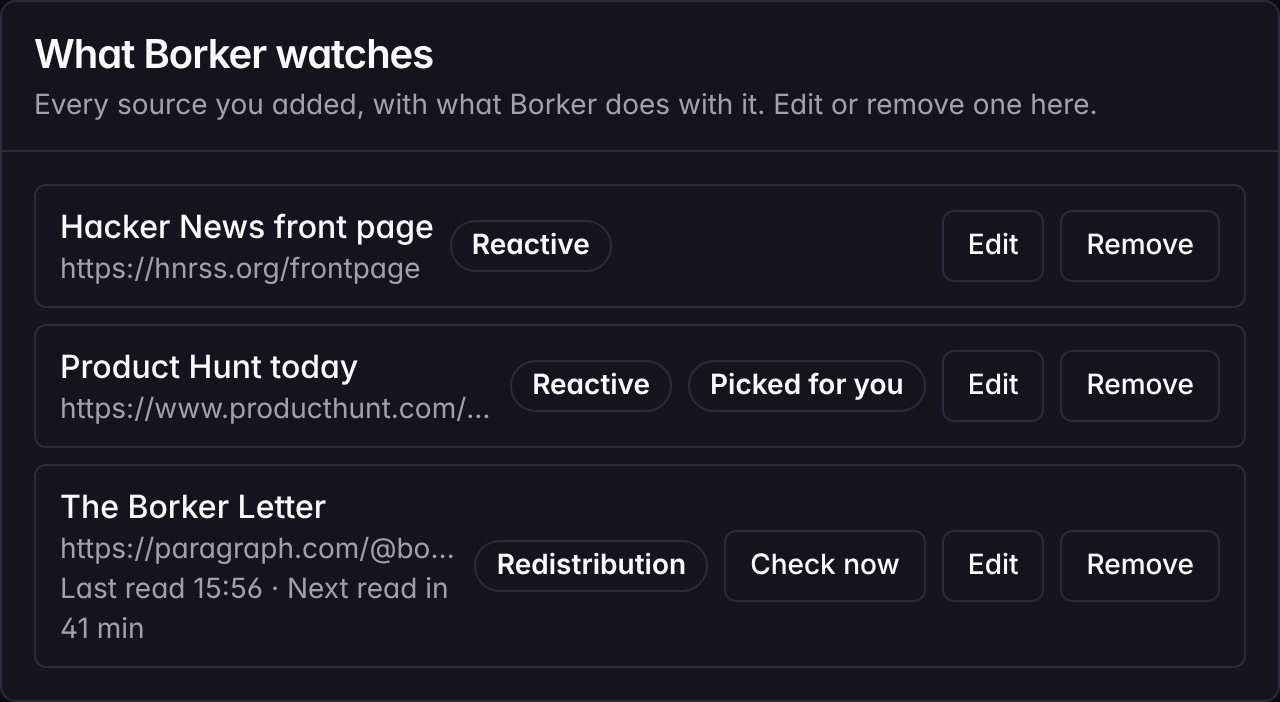
A reactive source, the feeds Borker reads for things to react to, keeps working as before. A reaction is judged on its match and placed; it has no pace or channel set.
What else shipped
Pieces go out in the order you published them
When several of your pieces qualify at the same time, Borker now places them in the order you published them. Pieces published together, a series posted in one go, keep the order of your feed. So part one goes out before part two, the hub before the parts, on every channel the feed names. The same order holds when you plan a selection yourself.

Check now reads a feed on demand
Published something and want it in Borker now? Each feed row on Settings has a Check now button beside Edit and Remove, and the Sources page has one on its reading line that reads every feed of that kind. Borker reads the feed on the spot, the same way its scheduled read does, and tells you what came in. Each row on Settings now also says when the feed was last read and when the next read is due.

Plan a selection on the channels you pick
On the Redistribution tab, tick the pieces you want planned and the bar now offers channels in place of the voice switch. It opens on the feed's own channel set, and every ticked row shows the same chips, read-only, following each change you make in the bar. A piece that needs its own channels is unticked and planned from its row, where Plan it offers the same chips. The ticked pieces take one place on each of the bar's channels on the pace's days, from the start day you choose, in the order you published them.

New here? Borker is the AI content engine for founders.
We learn your voice, read your sources, plan your week and write each post before it goes out, while you build the actual product.