
Your AI agent can now run your social presence, without holding your passwords
Borker now has a public API and a hosted MCP endpoint, so Claude Code, Claude Desktop, OpenClaw, Hermes, or any agent you build can read your brand voice, draft posts, and schedule them across X, LinkedIn, Farcaster and Paragraph. Your agent never touches your social account credentials. It gets a scoped key you can revoke, and every action is stamped with the key that took it.
Borker now speaks to AI agents. There is a public API at /api/v1 and a hosted Model Context Protocol endpoint, which means Claude Code, Claude Desktop, OpenClaw, Hermes, or anything you build yourself can read your brand voice, write posts that sound like you, and put them in your queue for X, LinkedIn, Farcaster and Paragraph. Your agent does this without ever holding a credential for any of those accounts.
Connect any MCP client
Point your client at one URL, paste a key, and you are done.
claude mcp add --transport http borker https://borker.xyz/api/v1/mcp \
  --header "Authorization: Bearer <your agent key>"
Then ask for what you want: "List my Borker channels and draft a post about our launch for X." Your assistant discovers eleven tools covering your channels, brand voice, posting schedule, workspace stats, and the whole content lifecycle from draft to scheduled. There is no SDK to install and no glue code to maintain.
Any client that speaks MCP over streamable HTTP works the same way, including Claude Desktop, OpenClaw and Hermes. Add a remote MCP server with the URL https://borker.xyz/api/v1/mcp and an Authorization: Bearer header. Setup for each is on the MCP page.
Two ways to create
Your agent has two options, and the difference matters for both quality and cost.
It can hand you copy it wrote. Your agent drafts the post itself and passes Borker the finished text. Free, and it never touches your generation quota. Good when the agent already has the context, for example when it just shipped the thing it is announcing.
It can ask Borker to write it. Your agent sends a short prompt and Borker's own engine produces the post in your configured brand voice, sized for each channel you targeted. This is the same engine behind the Command Center in the app, so prompting from your terminal gives you what prompting in the UI gives you. It uses one generation per channel, the same as any other generation.
The second one is worth knowing about, because it means your agent does not have to carry your voice around in its own context. Borker already has it.
Agent keys with scopes
Your agent's power is exactly the key's power, and you choose that when you create the key.
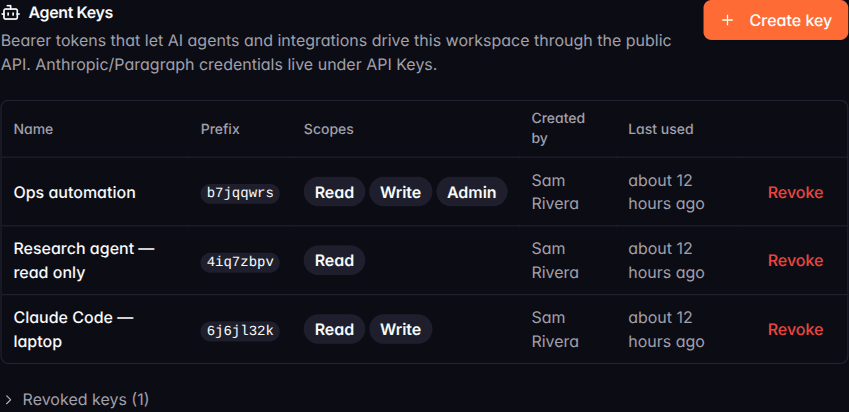
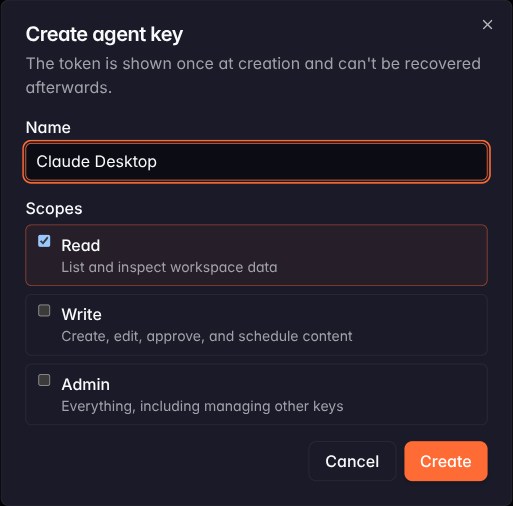
A Read key can list and inspect your workspace and is unable to post, because the write tools refuse it at the door. A Write key can create, edit, approve, and schedule content. Admin adds key management on top. Give the research agent that summarises your week a read key, and the question of whether it might publish something stops being a question.
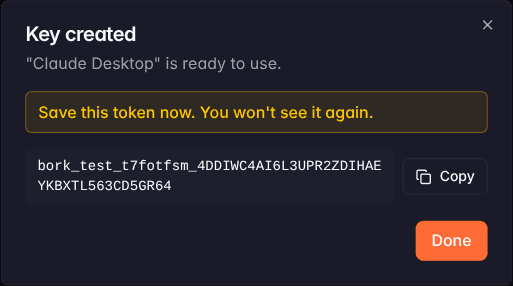
Keys are per workspace and per agent. Issue one called "Claude Code, laptop" and another called "Research agent, read only" and you can see each one's usage separately, revoke either without touching the other, and know which is which a month from now. The token is shown once when you create it and never again. Details on the agent keys page.
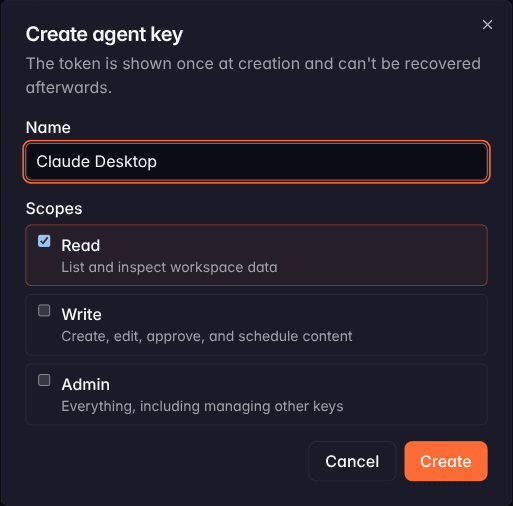
Key management is deliberately absent from the agent's toolset. An agent cannot mint itself a stronger key, and a write-scoped key cannot create keys at all.
You decide how much the agent closes
How much of the loop your agent runs is your call, and it is the same approval mode setting that already governs everything else in your workspace.
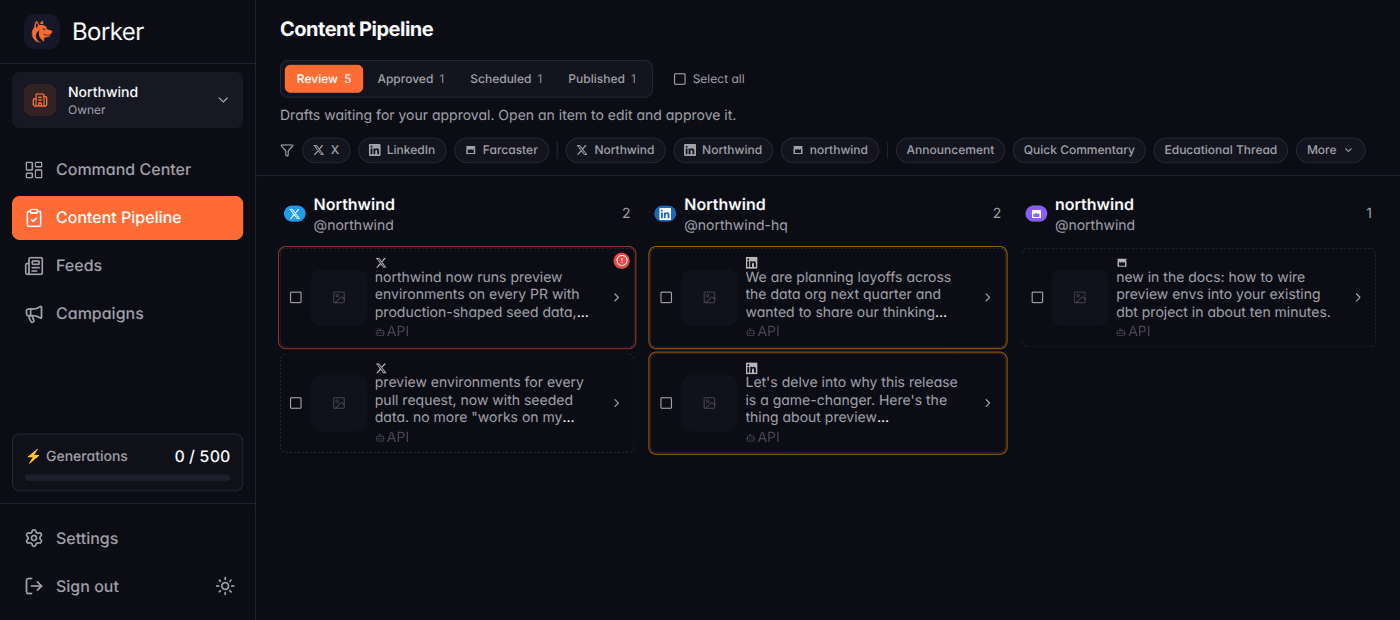
Leave approval on manual and your agent proposes. Drafts arrive in your Content Pipeline with an API badge, and nothing reaches your audience until you say so.
Switch approval to automatic and your agent can approve its own work, or approve it in the same breath as writing it. From there you do not have to do anything, because Borker already knows the rest: your weekly posting schedule decides when it goes out. A post without a channel goes to the workspace's one channel on that platform; with more than one, your agent names the channel. The agent writes, and your existing configuration handles placement and timing.
Either way the guards stay on. Sensitivity rules still hold posts that touch topics you have flagged, and over-length drafts are still marked before they can go anywhere. Connecting an agent does not route around your safety net, it feeds into it.
Drafts explain themselves
When Borker holds a draft, the API now returns the reason along with it.
A post over the character limit for its channel comes back marked as a length problem. A post carrying the tells that make writing sound machine-made, "delve", "game-changer", "here's the thing", comes back with each one named. A post that trips one of your sensitivity keywords comes back with the keyword that matched.
That matters because an agent can act on a reason. It rewrites the draft and tries again, instead of handing you something broken and waiting for you to work out why.
Every action is attributable
Every approve, schedule, and edit records which key performed it, rather than a generic "the API". Combined with naming keys after the agent that uses them, you can answer "what did this integration do" and act on the answer by revoking one key while everything else keeps working.
What else shipped
Clearer refusals when something goes wrong
Errors from the API now use one shape with a documented code, so your agent can tell "my key is wrong" apart from "you are out of generations" and respond correctly instead of retrying forever. Credential problems arrive as real authentication failures rather than a success that happens to contain bad news. The full list is in the API reference.
Per-key rate limits
Each key gets its own budget, so a busy integration cannot slow down your other agents or your own use of the app. Content creation is limited more tightly than reading, because creating can put Borker's engine to work.
Bug fixes
- Unscheduling a post through the API could leave it stuck. It reported success while the post quietly stayed unpublished. Unscheduling and rescheduling now do what they say.
- Deleting or cancelling a scheduled post kept its X URL credit reserved. The credit is now returned to your balance.
- Rejected keys could reveal whether a key prefix existed. All rejected keys now answer identically.
- The URL credit notice could appear on channels that are not metered. It now follows the channel's actual billing rather than its platform.
New here? Borker is the AI content engine for founders.
We learn your voice, watch your news feeds, and ship posts to X, LinkedIn, Farcaster and your blog while you build the actual product.