
Settings
What each settings tab holds, from your profile and timezone to your keys.
Open Settings from the sidebar. You see only the tabs your role can open.

| Tab | What it holds | Who can open it |
|---|---|---|
| Profile | Your name, email, password, the weekly digest, your account | Everyone |
| Brand & Voice | Your two voices and what Borker may say | Editors and up |
| Sources | What Borker reads for you | Editors and up |
| Team | Members, roles and invitations | Admins and the owner |
| Keys | Your Anthropic key and agent keys | Admins and the owner |
| Billing | Your plan, invoices and add-ons | Admins and the owner |
| General | Workspace name, timezone, deleting the workspace | Admins and the owner |
Looking for your channels?
Channels are connected on Content Strategy, under Destinations, not in Settings. See Channels.
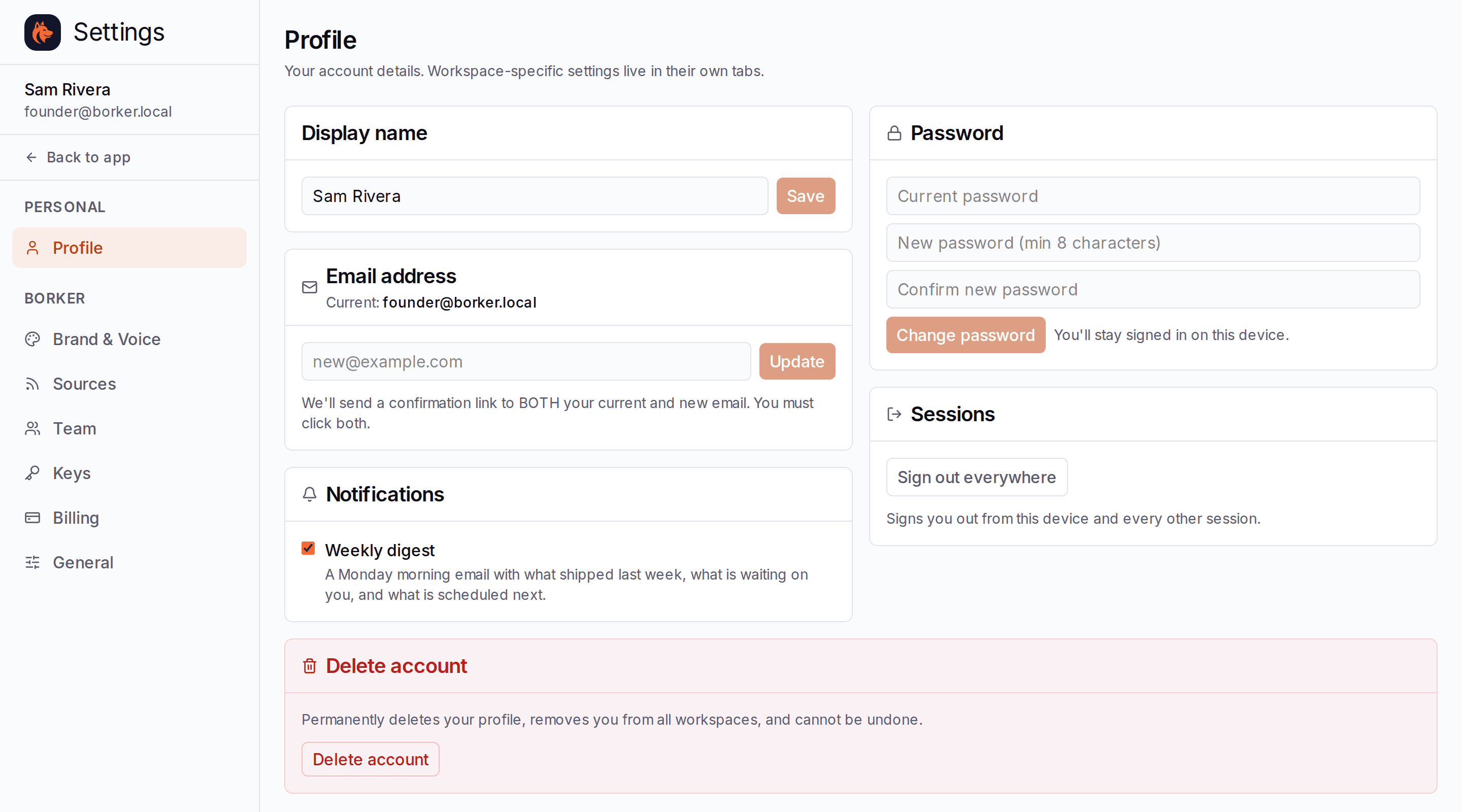
Profile
Your own account, the same in every workspace you belong to.
- Display name and Email address. A new email needs the confirmation link in both your current and your new inbox before it changes.
- Notifications: the Weekly digest, a Monday morning email with what shipped last week, what is waiting on you, and what is scheduled next. Untick it to stop it.
- Password: at least 8 characters.
- Sessions: Sign out everywhere signs you out on every device.
- Delete account removes your profile and takes you out of every workspace. It cannot be undone, and it is blocked while you own a workspace: delete that workspace first.
Brand & Voice, Sources, Team and Billing
Each has its own page:
Brand & Voice
Your two voices, the facts Borker may use, and your standing rules.
Sources
Feeds Borker reads, and where links in posts point.
Your team
Invitations, roles and seats.
Billing and add-ons
Plan, invoices, seats and credit packs.
Keys
Two kinds of key live here.
Keys you bring
Only on BYOK and Lifetime. Paste your Anthropic API key and press Save key. Borker encrypts it and never shows it again; the row reads Configured and when it was last used. To change it, paste a new key and press Replace key.
On Starter and Pro there is no key to add: the writing is included in your plan.
Keys Borker issues
Agent keys let your own AI agents and integrations work in this workspace, on every plan. Press Create key, give it a name, and choose what it may do:
| Scope | What the agent can do |
|---|---|
| Read | List and inspect workspace data |
| Write | Create, edit, approve, and schedule content |
| Admin | Everything, including managing other keys |
Copy the key when it appears: you will not see it again. See Agent API for what to do with it.
No key, no posts on BYOK and Lifetime
Without a working Anthropic key Borker cannot write, and the app tells you. Add or replace the key here and writing picks up again.
General
- Workspace: the name, changed with the pencil beside it.
- Timezone: your publish times are read in this timezone. Borker plans your week, places each post and sends your weekly digest in it. It is set from your browser when you create the workspace; change it here if you post for a different part of the world.
- Danger zone: Delete workspace permanently removes its posts, its connected channels and its billing. Only the owner can do this, and it asks once more before it goes.