
Channels
Connect the places you post, pick the voice that writes for each one, and keep every connection working.
A channel is an account Borker publishes to. You connect channels on Content Strategy, under Destinations, with Connect channel. Only admins and owners connect, reconnect and remove channels.
| Channel | Text per post | Pictures | Where a source link goes | Stays connected |
|---|---|---|---|---|
| X | 280, 4,000 or 25,000 characters, by X tier; longer becomes a thread | Up to 4, on the first post | Its own last post in the thread | On its own |
| LinkedIn profile | 3,000 characters | Up to 9 | Own line at the end | 60 days, then renew |
| LinkedIn page | 3,000 characters | 1 | Own line at the end | On its own |
| Bluesky | 300 characters | Up to 4 | A link card, or text end with a picture | On its own |
| Farcaster | About 1,000 characters (a long cast) | Up to 2, shared with the link | The cast's embed | No expiry date |
| Paragraph | 50,000 characters | The first becomes the cover | After the first paragraph | No expiry date |
Each channel has its own shape
The same news, written six ways. Each channel sets the length and the pictures.
ThreadPersonal
Three weeks of wind tables said wait. This morning: 21 miles an hour, steady. We flew. Twelve seconds, then fifty-nine.
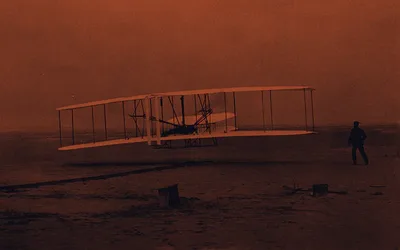
280 characters a post
4,000 or 25,000 by tier
Longer becomes a thread
Up to 4 pictures, on the first post
Long postPersonal
The paper says three miles over the ocean. It was 852 feet over sand, and it was enough.
3,000 characters
Up to 9 pictures
NewsletterBrand
Twelve seconds, then fifty-nine
50,000 characters
The first picture is the cover
Page postBrand
The brothers are at Kill Devil Hills, and the wind is right.
3,000 characters
1 picture
Short postPersonal
For the papers: four flights today, the longest 852 feet in 59 seconds.
300 characters
Up to 4 pictures
CastBrand
Four flights at Kill Devil Hills today. The longest: 852 feet in 59 seconds.
About 1,000 characters
Up to 2 pictures, or 1 and a link
ThreadPersonal
Three weeks of wind tables said wait. This morning: 21 miles an hour, steady. We flew. Twelve seconds, then fifty-nine.
280 characters a post
4,000 or 25,000 by tier
Longer becomes a thread
Up to 4 pictures, on the first post
Long postPersonal
The paper says three miles over the ocean. It was 852 feet over sand, and it was enough.
3,000 characters
Up to 9 pictures
NewsletterBrand
Twelve seconds, then fifty-nine
50,000 characters
The first picture is the cover
Page postBrand
The brothers are at Kill Devil Hills, and the wind is right.
3,000 characters
1 picture
Short postPersonal
For the papers: four flights today, the longest 852 feet in 59 seconds.
300 characters
Up to 4 pictures
CastBrand
Four flights at Kill Devil Hills today. The longest: 852 feet in 59 seconds.
About 1,000 characters
Up to 2 pictures, or 1 and a link
How many channels you can connect depends on your plan. See Plans.
Connect a channel
Pick the platform. A sign-in window opens on that platform. On a phone, the page goes to the sign-in and comes back. Farcaster and Paragraph open their own window in Borker instead.
Sign in and approve Borker. The window closes itself and the channel appears as a card in Destinations.
Check the Voice on the card: Personal or Brand. Borker guesses it when you connect. Change it if the guess is wrong.
Connecting a channel
You approve in the platform's own window, and the channel comes back as a card.
Read it as steps
- On Content Strategy, press Connect channel in Destinations and pick a platform.
- Borker opens a sign-in window on that platform. On a phone, the page itself goes to the sign-in and comes back.
- Sign in there and approve Borker.
- The window closes itself.
- The channel appears as a card in Destinations. Check its Voice: Personal or Brand. Borker guesses it when you connect.
- Two channels connect another way, in a Borker window. One asks for your API key: paste it and press Save Key. One shows a code: scan it with your phone and approve in its app.
The voice decides who a post on that channel sounds like. See Brand & Voice.
Each channel
- Connect: sign in to X in the sign-in window.
- X tier: set it on the channel's card to the plan the account actually has. Free is capped at 280 characters a post, Premium at 4,000, Premium+ at 25,000. Set it wrong and long posts fail or are split when they did not need to be.
- Long posts: a post longer than the tier allows is split into a thread at its paragraph breaks, up to 25 posts.
- Pictures: up to 4, on the first post of a thread.
- Links: a link goes out as its own last post, and each post that carries one spends an X URL credit. With none left, Borker offers Add a pack or Send without the link. See Billing.
One long post, as a thread or whole
The channel's tier decides. Pick one and see the same post go out.
Three weeks of wind tables said wait. This morning: 21 miles an hour, steady. We flew. Twelve seconds, then fifty-nine.
Four flights by noon, each longer than the last. Orville took the first and I took the fourth: 852 feet into the wind.
Five people watched. One had never held a camera, and he got the picture.
Three weeks of wind tables said wait. This morning: 21 miles an hour, steady. We flew. Twelve seconds, then fifty-nine. Four flights by noon, each longer than the last. Orville took the first and I took the fourth: 852 feet into the wind. Five people watched. One had never held a camera, and he got the picture.
Three weeks of wind tables said wait. This morning: 21 miles an hour, steady. We flew. Twelve seconds, then fifty-nine.
Four flights by noon, each longer than the last. Orville took the first and I took the fourth: 852 feet into the wind.
Five people watched. One had never held a camera, and he got the picture.
The split is at the paragraph breaks: one post for each paragraph, up to 25 in a thread.
When a connection needs you
A channel whose connection has expired or stopped working can no longer publish. Its card shows Reconnect in red, with a line such as "Connection expired · reconnect to resume posting". You also see a banner in the app and get an email.
Press Reconnect and sign in with the same account. Signing in with a different account adds it as a new channel and leaves the old one blocked. Team members who are not admins see "Ask an owner or admin to reconnect it."
How long a connection lasts
Most channels stay connected on their own. One has to be renewed every 60 days.
Whatever its kind, a channel whose connection stops working shows Reconnect on its card.
Read it as steps
- The day you connect a channel is the first day of its connection.
- Most channels then stay connected on their own, or have no expiry date. There is nothing for you to do.
- One kind, a profile, ends 60 days after you approve it. Near the end, Borker renews it for you when it can. When it needs you, its card shows Renew and the day it expires. Once renewed, its 60 days start again.
- If it is not renewed in time, its card shows Reconnect and it cannot publish until you reconnect it. Any channel whose connection stops working shows Reconnect the same way.
Remove a channel
Press Remove on the channel's card. The dialog counts the channel's posts, from published to planned, and asks what happens to them before you press Remove:
- Delete them. They are removed with the channel. If you connect the same account again later, they return, and none of them comes back with a time.
- Reassign to another channel on the same platform. Planned posts move to it at the same time. Scheduled posts move back to Approved there. Schedule them again.
To keep a post on a channel of another platform, open it in the Command Center and use Replan for… before you remove the channel.
A channel you removed is gone from the page. The Disconnected channels list is only for connections that stopped on their own, and Remove works the same way there.
Published posts are kept as history either way. Removing a channel from Borker does not always revoke Borker's access on the platform itself. To be sure, remove Borker in that platform's own app settings too.