
Content Strategy
What you talk about, what you avoid, where each post goes, how often you post, and what happens before a post goes out.
Your Content Strategy is what you told Borker to communicate. Borker drafts it from what you share when you set up, and you can change it at any time. It decides what lands in Planning in your Command Center.

What it holds
| Part | What it decides | Where you change it |
|---|---|---|
| Identity | What Borker may say about you and your brand. If it is not there, Borker does not say it. | Brand & Voice |
| Topics | Talk about: what Borker draws on. Avoid: hard lines it never crosses. | Content Strategy, Topics |
| Destinations | One card per channel: what the channel is for and which voice writes it. | Content Strategy, Destinations |
| How often | How many posts a week each channel gets. | Content Strategy, How often |
| Before it goes out | Whether posts wait for you, and what always waits. | Content Strategy, Before it goes out |
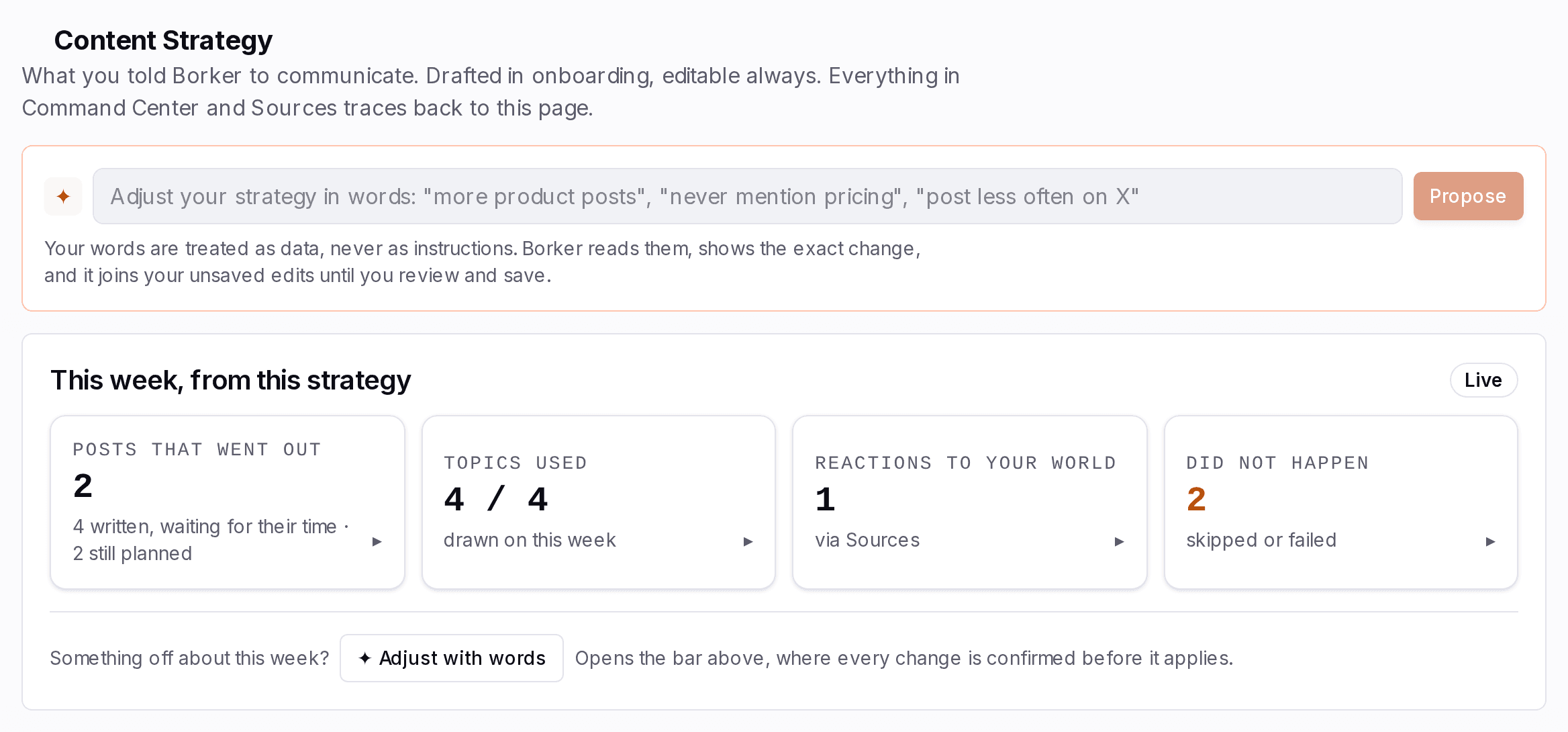
At the top of the page, This week, from this strategy shows what your strategy produced this week: posts that went out, topics used, reactions, and anything that did not happen. A topic marked running dry has been used a lot lately.
Change it
There are two ways, and they end in the same place.
Say it in words
Borker shows the change it read from your words, and nothing applies until you save.
One change:
- Planning Only planned posts that are not written yet move.
- Posts Nothing already written is touched.
Read it as steps
- Type what you want in the bar at the top of Content Strategy and select Propose.
- Borker shows the exact change it read from your words, tagged From now on. Select Yes, add it, or That is not what I meant to say it another way.
- The change joins your unsaved edits, marked Unsaved in the part of the page it changes.
- Select Review & save, read what the change does to this week and next, and save.
- Tonight Borker applies it to what is in Planning. Only planned posts that are not written yet move. Nothing already written is touched.
Type what you want in the bar at the top, for example "more product posts" or "never mention pricing".
Borker shows the exact change it read from your words. Leave out any part you do not want and select Yes, add it, or select That is not what I meant and say it another way.
Saved changes apply overnight and only touch planned posts. Nothing already written is changed. To change one post this week, open it in the Command Center instead.
What a change does to your week
| You change | When it applies | What it touches |
|---|---|---|
| Topics, Avoid, How often, a change in words | Overnight, after Review & save | Planned posts that are not written yet |
| What a channel is for, its voice | At once | Every post written for that channel from then on |
| Before it goes out | At once | Every post written from then on |
Planned posts you edited or moved yourself keep your change.
Destinations
Each channel you post to is a destination with its own card. Connect channel adds one. See Channels for connecting, reconnecting and removing.
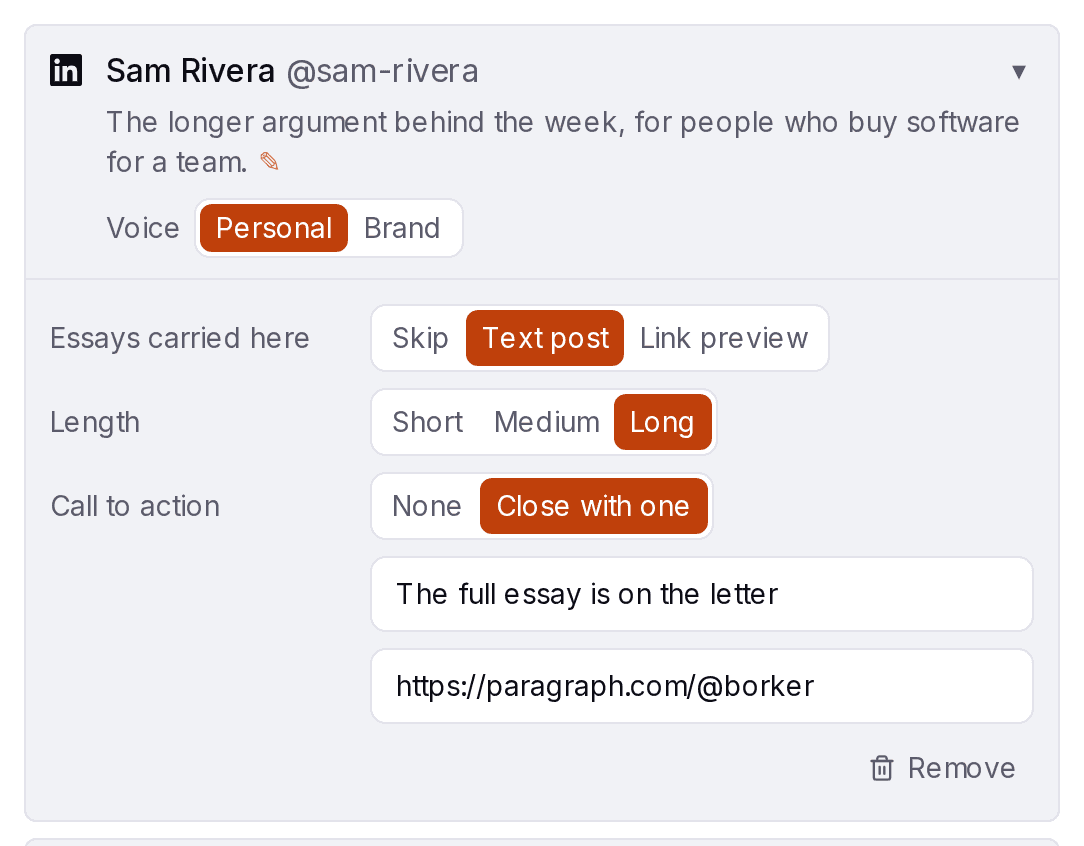

- What this channel is for: one sentence that steers every post for that channel.
- Voice: Personal or Brand. It decides whether Borker writes there as you or as your brand. See Brand & Voice.
- Essays carried here: how one of your own long pieces is shared on this channel, for example as a thread, as one post with a link, or not at all.
How often
Pick one pace for all channels, then give any channel its own. A channel can also be set to Off.
Your pace, as a week
Pick a pace. Each channel gets its places for the week, never two on one day.
A pace is a range. Borker plans the lower number. The room above it is for reactions and your own pieces.
| Pace | Posts a week, per channel |
|---|---|
| Weekly | about 1 to 2 |
| Twice a week | about 2 to 3 |
| Most days | about 5 to 7 |
| Daily | about 7 to 9 |
The pace is a range on purpose. Borker fills the lower number from your topics and keeps a little room for reactions and your own pieces. Daily is the most Borker plans by itself. Add more by writing a post yourself in the Command Center.
Before it goes out
This is where you decide how much Borker does without you.
| Setting | What happens |
|---|---|
| Wait for me | Every post lands as a draft and waits for you to approve it. |
| Publish on their own | Posts go out without you, unless one matches a rule you set or reads as AI written. |
You can set this for each voice. Your brand can publish on its own while your own posts wait for you, or the other way round.
When a post waits for you
Each voice has its own setting. Change this one to see where a post ends up.
1Does its voice wait for you?
2Does a word or a rule match?
3Does it need a closer look?
- AI-ismIt reads as AI written
- FlaggedToo long for this platform
Three weeks of wind tables said wait. This morning: 21 miles an hour, steady. We flew. Twelve seconds, then fifty-nine.
Three weeks of wind tables said wait. This morning: 21 miles an hour, steady. We flew. Twelve seconds, then fifty-nine.
Three weeks of wind tables said wait. This morning: 21 miles an hour, steady. We flew. Twelve seconds, then fifty-nine.
Three weeks of wind tables said wait. This morning: 21 miles an hour, steady. We flew. Twelve seconds, then fifty-nine.
1Does its voice wait for you?
2Does a word or a rule match?
3Does it need a closer look?
- AI-ismIt reads as AI written
- FlaggedToo long for this platform
Three weeks of wind tables said wait. This morning: 21 miles an hour, steady. We flew. Twelve seconds, then fifty-nine.
Three weeks of wind tables said wait. This morning: 21 miles an hour, steady. We flew. Twelve seconds, then fifty-nine.
Three weeks of wind tables said wait. This morning: 21 miles an hour, steady. We flew. Twelve seconds, then fifty-nine.
Three weeks of wind tables said wait. This morning: 21 miles an hour, steady. We flew. Twelve seconds, then fifty-nine.
Read it as steps
- Borker writes the post a few hours before its time. Does its voice wait for you? Each voice has its own setting under Before it goes out. With Wait for me, every post shows as Needs you until you approve it. With Publish on their own, two more questions decide.
- Does a word or a rule match? If one under Always hold these does, the post shows as Needs you with the Sensitive marker, and the words that were caught are tinted.
- Does it need a closer look? A post that reads as AI written is marked AI-ism. A post marked Flagged says why, for example "Too long for this platform". Either one shows as Needs you.
- A post nothing holds shows as Scheduled and goes out at its time.
The guard rails
Under Always hold these you list what must never go out unread. A post that matches waits for you, whatever the setting above says.
- Words: whole words, capitals do not matter.
- Rules: a sentence in your own words, such as "anything about fundraising". Suggest with AI proposes some from what Borker knows about your brand.
- Avoid topics count too. A post that names one is held.
Each word and rule can cover Personal posts, Brand posts or both.