
Smarter reactive news, with a knob you control
Reactive news now scores articles against your own brand context (topics you own, terms you use, accounts you watch), not generic feed keywords. Your Pipeline gets a recency-first sort and a hover tooltip that shows exactly why each story matched. You get a new minimum-match slider that lets you decide how picky reactive should be.
The reactive part of Borker (the bit that scans your RSS feeds and pulls out stories worth posting about) got a meaningful upgrade. It now reads your brand instead of guessing.
Brand-aware reactive scoring
Reactive news used to work like this. You'd add a feed and a list of keywords, and Borker would surface any article whose title or summary literally contained one of those keywords. It worked, but it was brittle. If your brand was about "founder-led marketing" and an article called it "creator marketing," you'd miss it. If your brand explicitly avoided crypto and a relevant story happened to mention crypto in passing, you'd see it anyway. Reactive felt blunt.
Now reactive scores every article against your full brand context. It looks at the topic pools you've defined as promote vs avoid, your news keywords, the terms you use, the things you ask Borker to steer clear of, and the industry critical/positive/neutral/entity lists from your brand profile. Each match contributes a weight to the article's score (positive signals add, negative signals subtract). Anything above zero is interesting; anything below your threshold (more on that below) doesn't even reach your Pipeline.
The Pipeline got a couple of visible upgrades to match.
Articles now sort newest-first by default, with relevance as the tiebreaker. The old order (raw relevance descending) meant a story that scored 80 yesterday would sit above a story that scored 75 an hour ago. That's wrong for reactive: timeliness is the whole point. Newest-first puts the fresh stuff in front of you.
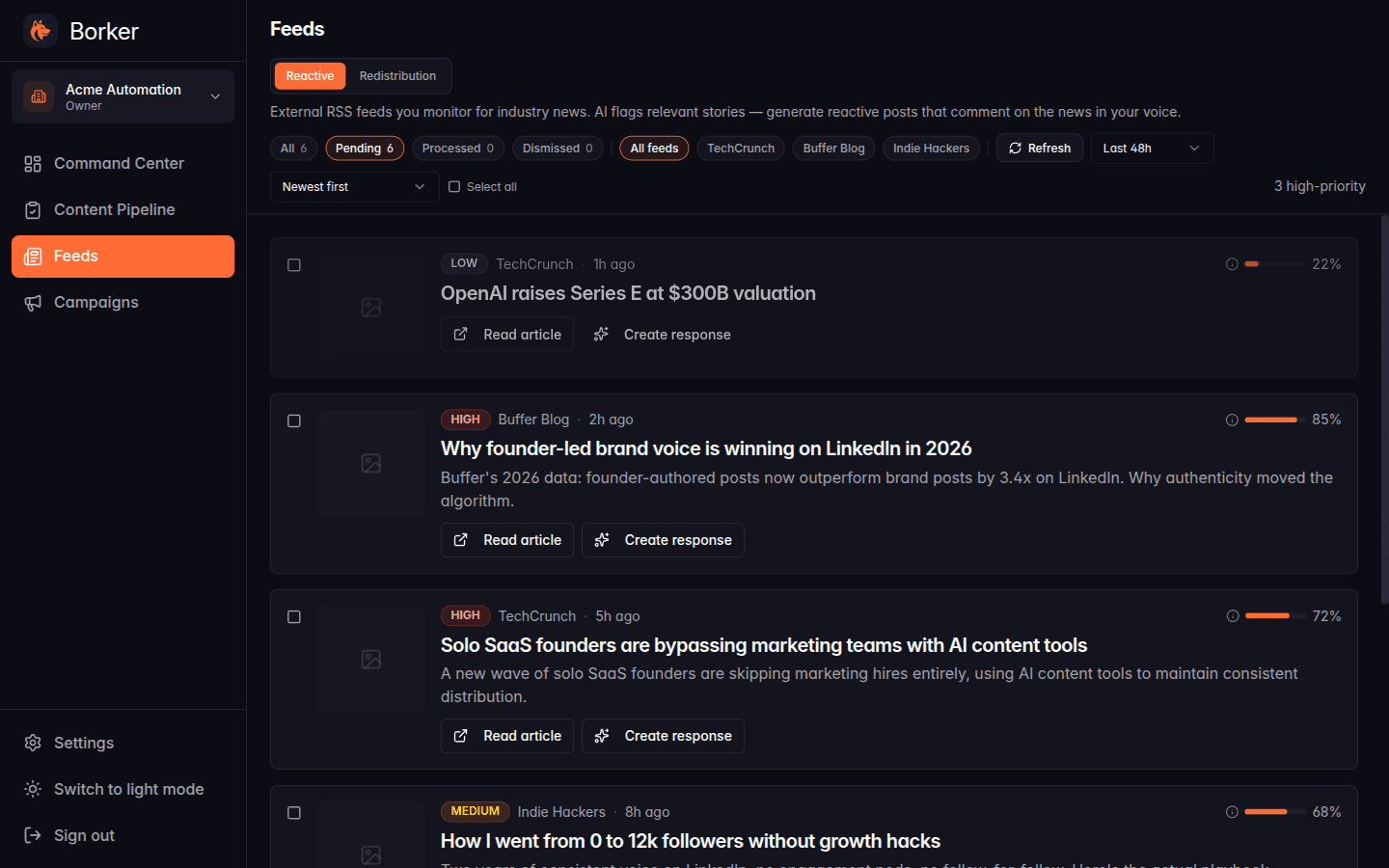
Each story now also tells you why it scored the way it did. Hover the relevance pill on a card and a tooltip pops up showing the matched terms grouped by source: your topics, your keywords, your industry context. No more guessing whether a 72% score was driven by the right things.
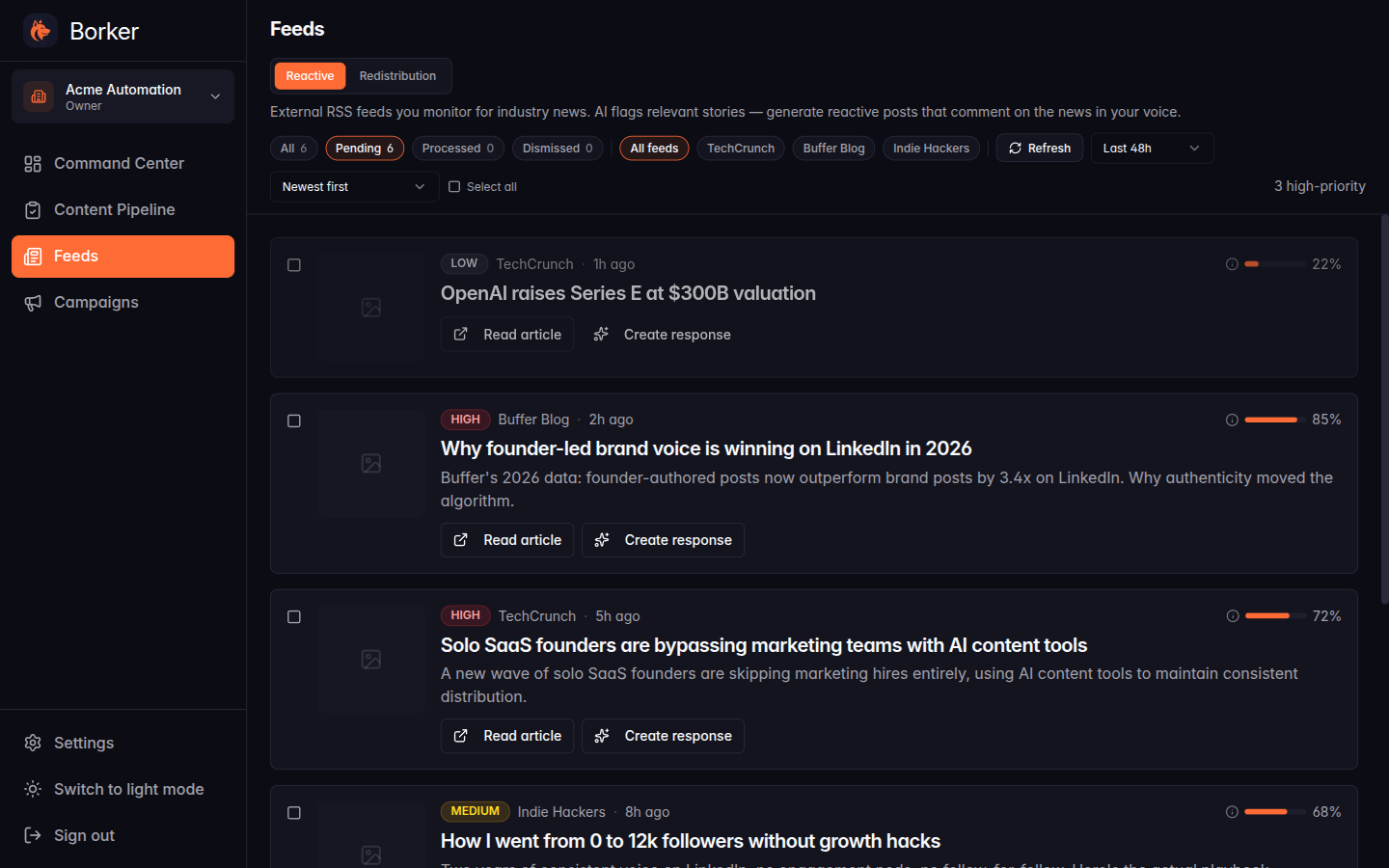
What this means in practice: if your brand profile is filled in (mission, topics, terms, industry context), reactive will start producing meaningfully better matches the very next time it runs. Workspaces that previously had thin keyword lists were quietly producing zero reactive drafts. Now they have a much richer signal to work from.
What else shipped
Reactive match threshold
If brand-aware scoring is the new engine, the threshold is the throttle.
Settings → Schedule now has a Reactive content minimum match % field directly under the News-reactive toggle. The default is 50: a moderate filter that catches strong matches and waves through borderline ones. Bump it to 75 if you want a quieter Pipeline with only the high-confidence stories. Drop it to 0 if you'd rather see everything and decide yourself.
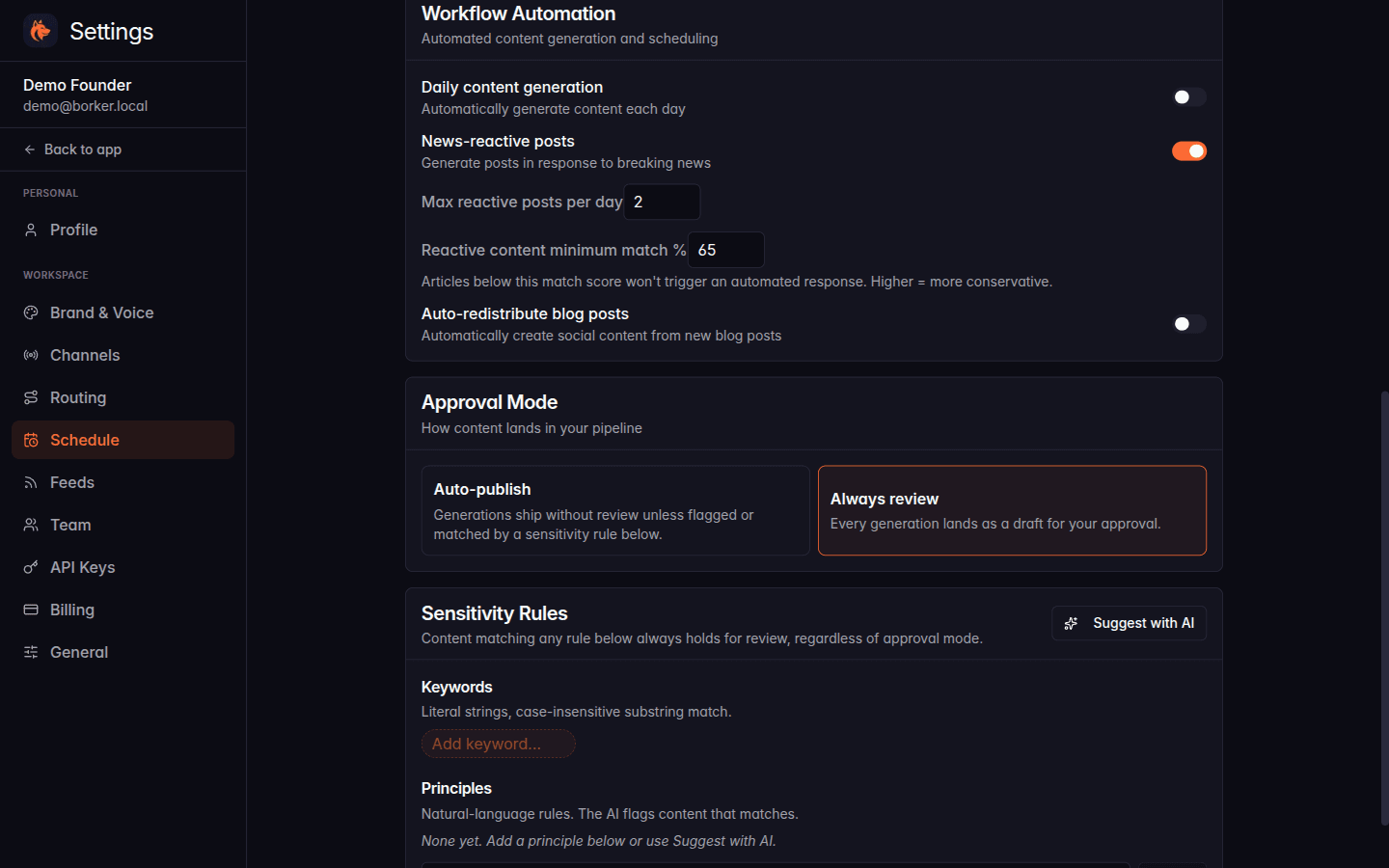
The threshold is per-workspace and takes effect on the next daily run. The helper text underneath the input reminds you which way is which: "Higher = more conservative."
Routing-aware channel picker
When you spot a news story on the Feeds page and hit Create response, the picker that opens used to ask which channels to send to with no context. You'd default to whatever felt right, sometimes pick the wrong one, sometimes forget the LinkedIn version entirely.
It now reads your routing rules. If a rule says reactive content from TechCrunch goes to your X account, X is pre-selected. If another rule fans the same source out to LinkedIn too, that's pre-selected as well. The modal labels the selection with the rule's name so you can see which one set it.
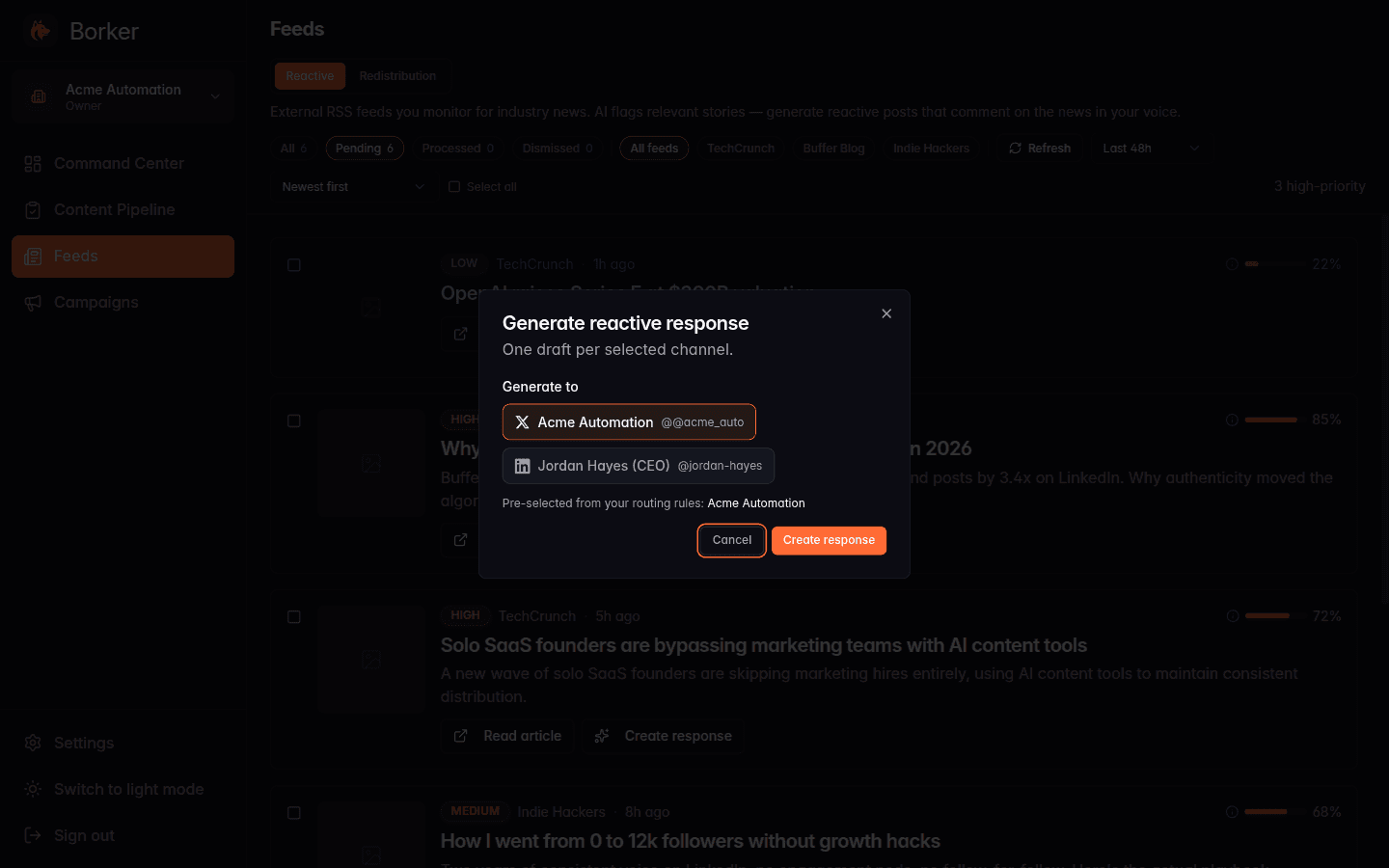
You can still override it (uncheck, re-check, add more). The picker starts from a smart default instead of an empty one.
Routing priority + conflict warning
The routing rule form has an explicit Priority field again. Higher number wins when two rules share the same source, platform, and feed scope. Default is 100, range is 0 to 1000. If you only have one rule per situation, you can ignore this field forever; it does what it always did.
The new part is what happens when two rules collide. If you try to save a rule that matches an existing rule on both specificity AND priority, the form shows a conflict warning inline. It names the colliding rule, suggests a non-conflicting priority, and gives you two buttons: Use suggested priority (pick the next free number) or Save anyway (you know what you're doing).
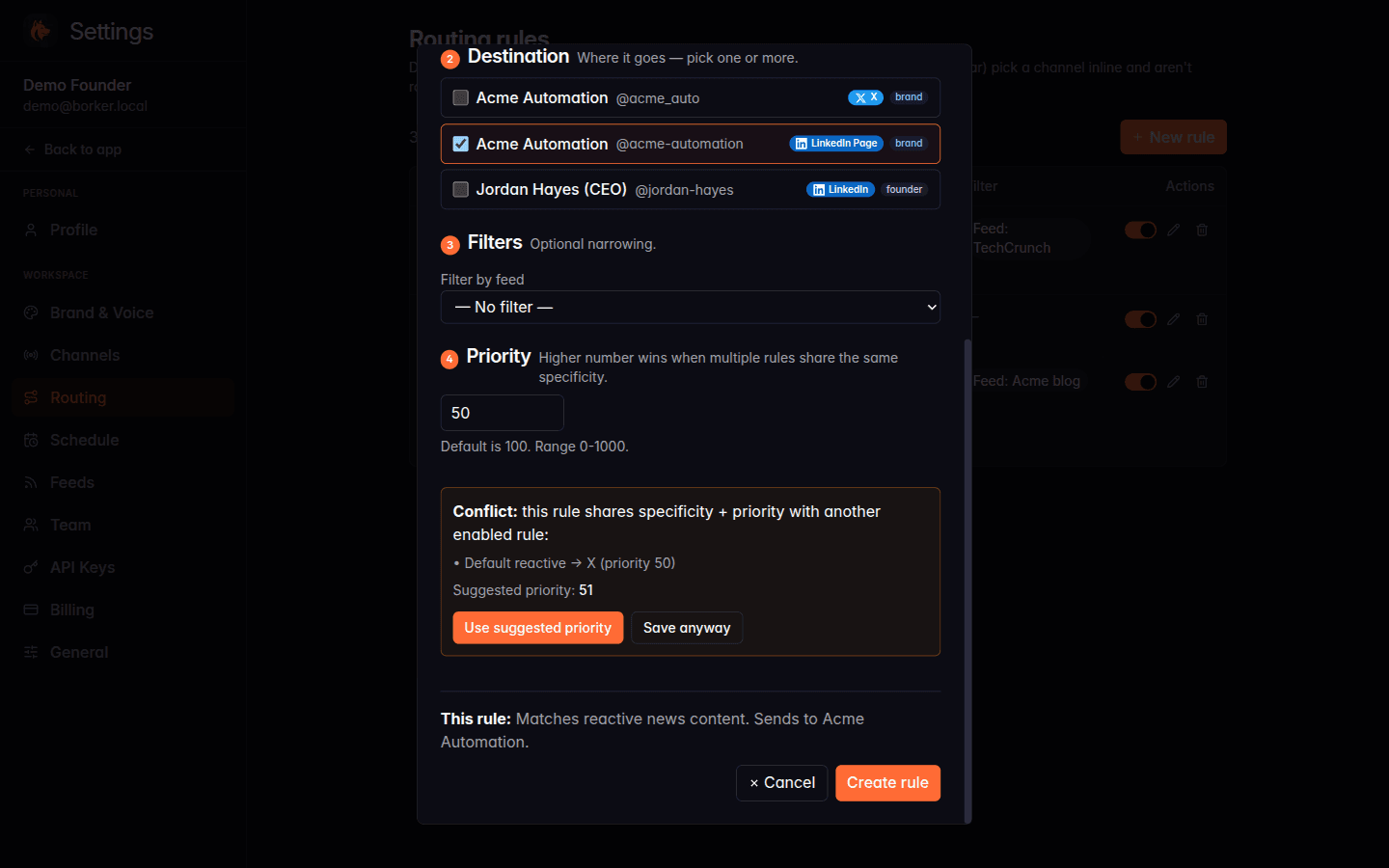
Before this, two rules at the same specificity would resolve to one of them by ordering luck and you'd never know.
A pointer from Feeds to Schedule
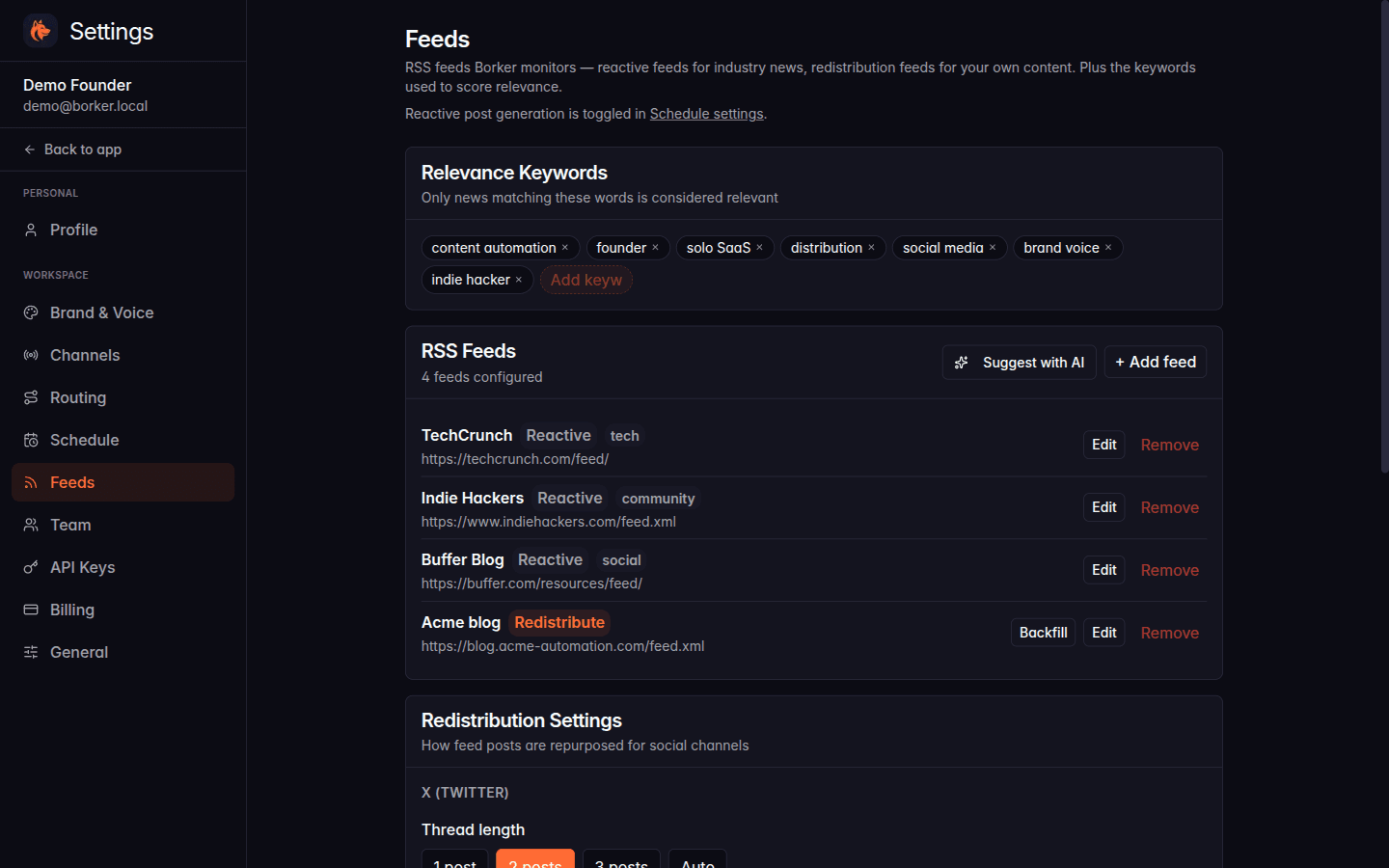
Settings → Feeds used to show a "Reactive Post Settings" card. That card was removed a while back (the actual reactive toggle lives on Settings → Schedule), but the page never pointed you to where the toggle lived. People landed on Feeds, looked for the switch, and bounced.
A muted one-liner near the top of Feeds now links straight to Schedule settings. Quiet fix; closes the dead-end.
New here? Borker is the AI content engine for founders.
We learn your voice, watch your news feeds, and ship posts to X, LinkedIn, Farcaster and your blog while you build the actual product.