Landing rebuild, part 6: The kit and the wind, and the day my fans spun up
By the Borker Team
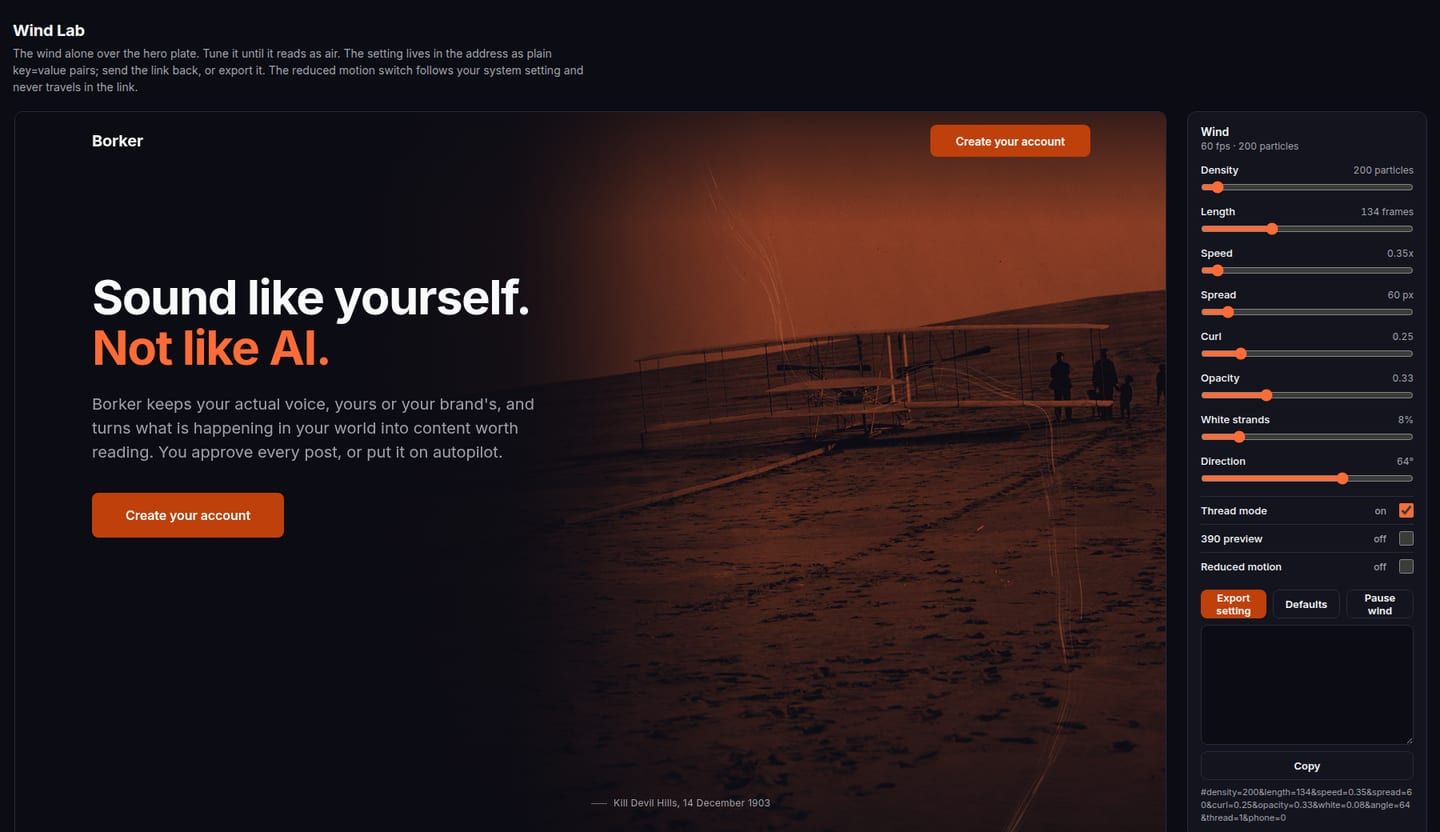
Part 6 of eight on rebuilding our landing page. Part 5 is the plates and the locked style. The hub lists every part.
The streak
The thread that runs through the page started as an orange streak: one thick line with a faint glow, leaving the machine in the hero and bending down through the beats. On the style board it was fine. On the locked frames at full size it was horrendous. A line is a diagram. What I wanted was wind, the thing that picked the beach and held the machine up, with particles you can feel moving.
So the wind became a motion asset in its own right, owned by the asset stage. A field of many fine streamlines, varying in length and opacity. It flows as a stream across the hero, over the dunes and the machine, then gathers into the page's thread and turns down through the beats. It drifts on its own, draws on with the scroll, and fades under reduced motion.
The wind lab
Nobody can specify a wind in a sentence. So the stage opened with a lab:
- the wind alone over the hero plate
- a slider for everything that matters
- the setting written into the page address as plain key and value pairs
- an export button
Tune it, send the link back, and the setting is the spec.
Open the wind lab. It is the lab as we used it, hosted here as it was built, not the finished page.
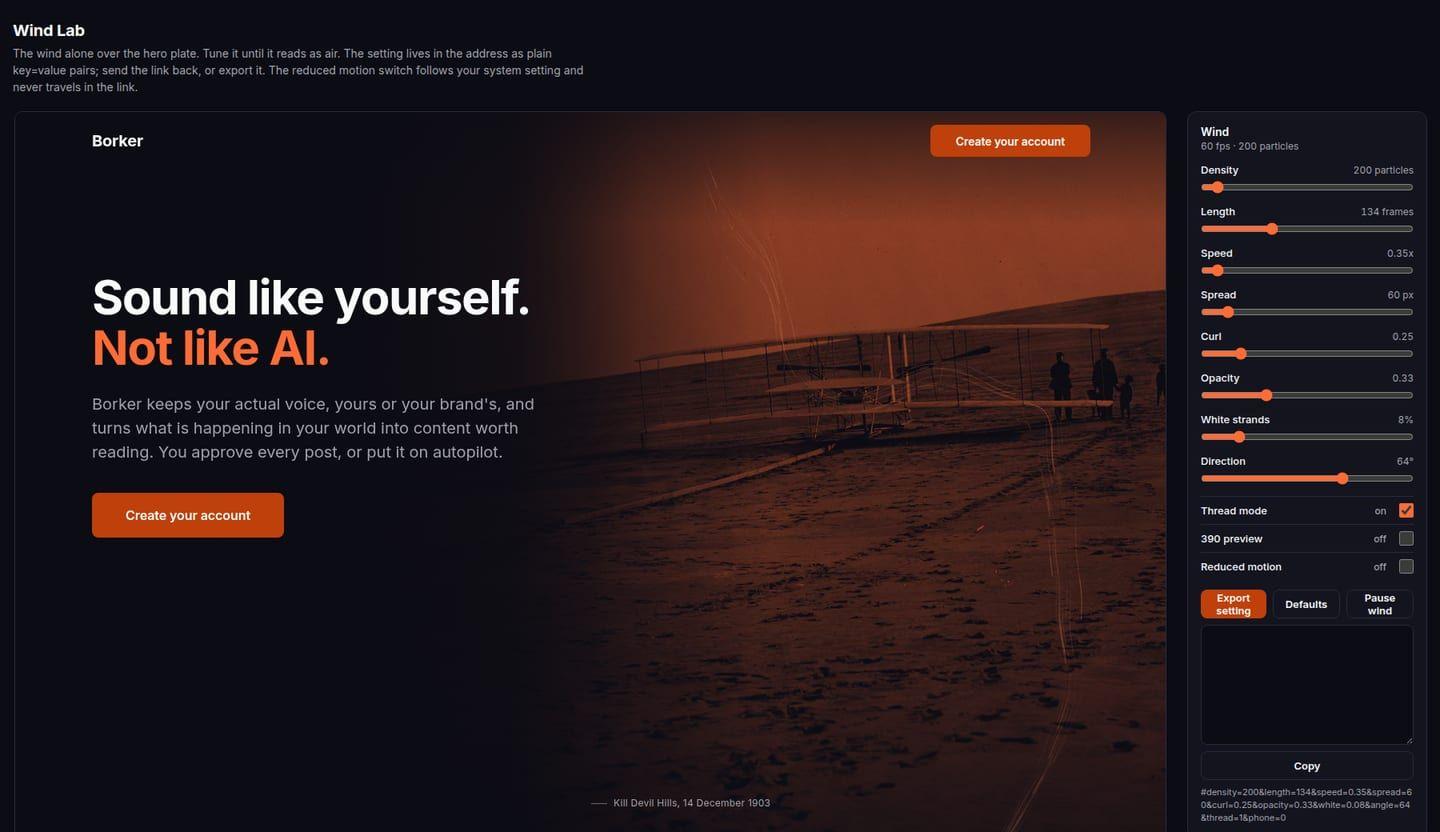
I tuned it for an hour and found a setting I liked.
| Parameter | Setting v1 |
|---|---|
| Density | 200 particles |
| Length | 134 frames |
| Speed | 0.35 |
| Spread | 60 px |
| Curl | 0.25 |
| Opacity | 0.33 |
| White strands | 8 percent |
| Direction | 64 degrees |
| Thread mode | on |
Then the fans on my laptop came on, and I found out why. The lab drove a browser renderer to over one core. I had been looking at a wind for an hour that a visitor's laptop would pay for in heat and battery, on a page whose job is to earn ten seconds of attention.
The CPU rule
Out of that came a hard rule, written as numbers so it can be measured, and measured at the next stage.
- The wind costs under 2 milliseconds of main-thread time per frame.
- Under 10 percent of one core on a mid-range laptop while in view.
- It runs only while its stage is in view. It pauses when the tab is hidden. It drops to 30 frames per second when nothing else moves.
- It stops entirely under reduced motion or on battery saver.
- If a 2D canvas cannot meet that at the chosen setting, the wind moves to the GPU, or to a pre-rendered loop per beat, and the lab stays the tool that produces the look.
The lab itself got a pause button, and it pauses when it scrolls out of view. If you open it above, that is why the meter says "paused while out of view" when you scroll down.
One more rule, for the build: the wind reads its parameters from one object with exactly the lab's keys. A new export from the lab drops in with no code change, and the lab stays the place to make new settings. The setting above is expected to change once the page is built, and it did; that is part 7.
The kit
The same night the asset kit landed: every picture and every card the page needs, in the locked style, with a manifest a script checks against the storyboard's frame list and reports nothing missing.
| What | Count |
|---|---|
| Plates, with rights, in three variants and three sizes each | 18 |
| Components, every state complete at rest | 26 |
| Readable posts, the golden thread | 3 |
| Motion sheets, one per transition | 8 |
| Generated images | 0 |
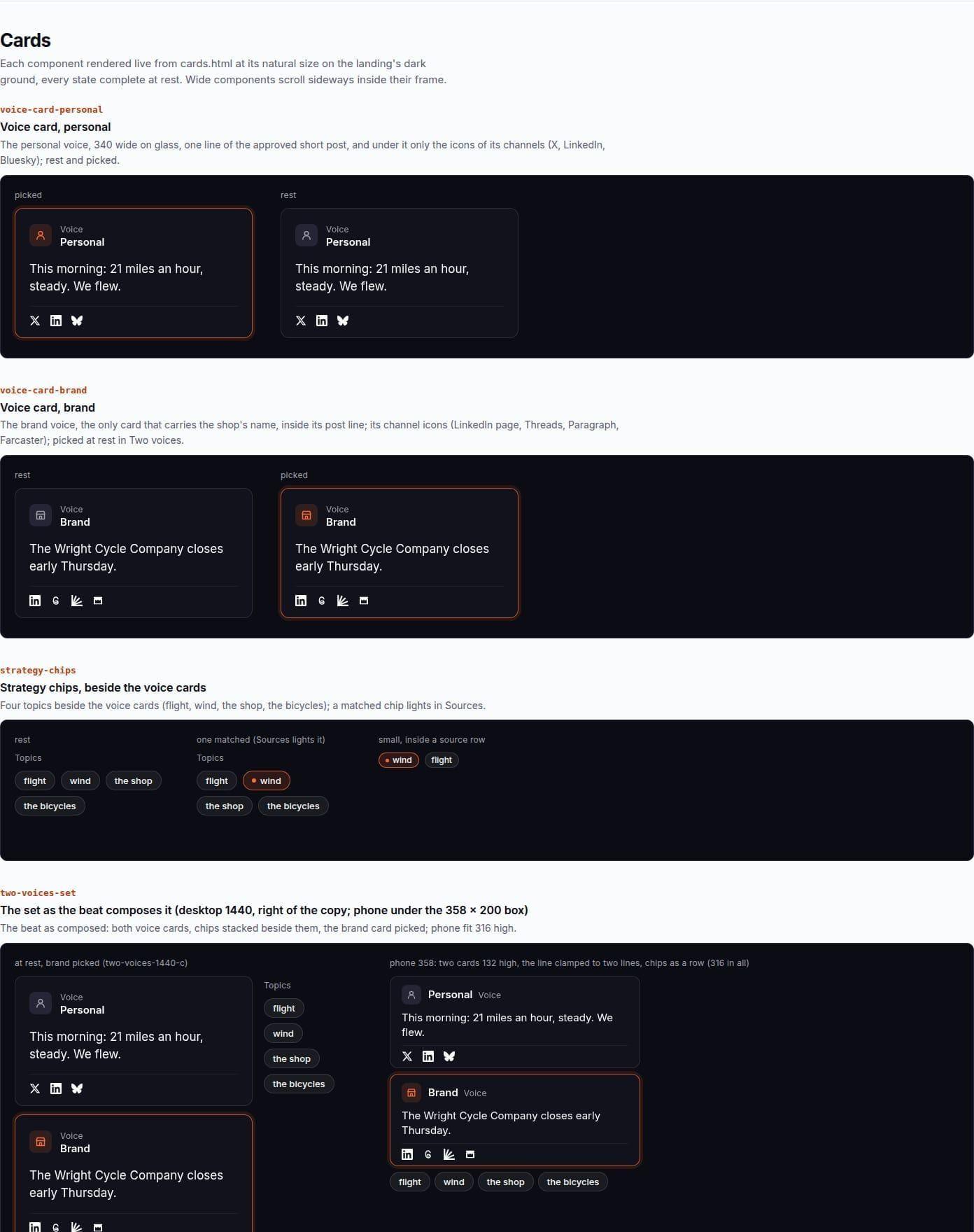
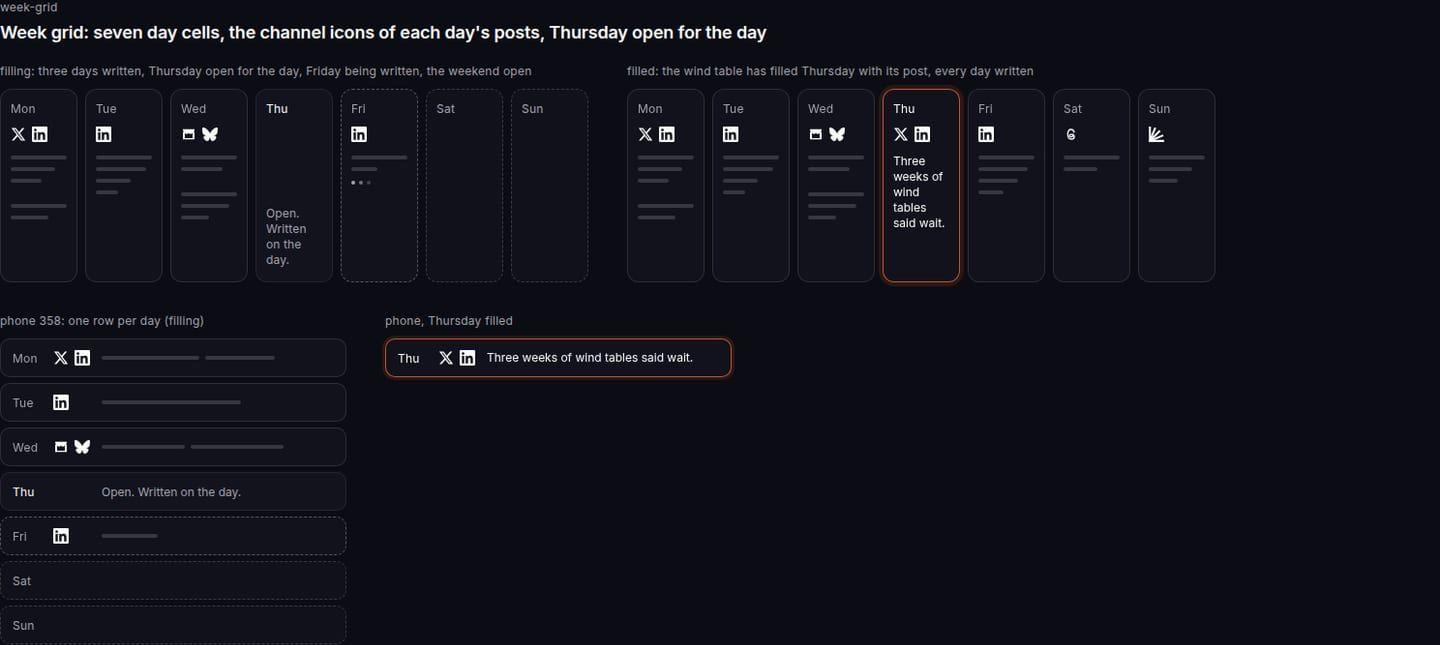
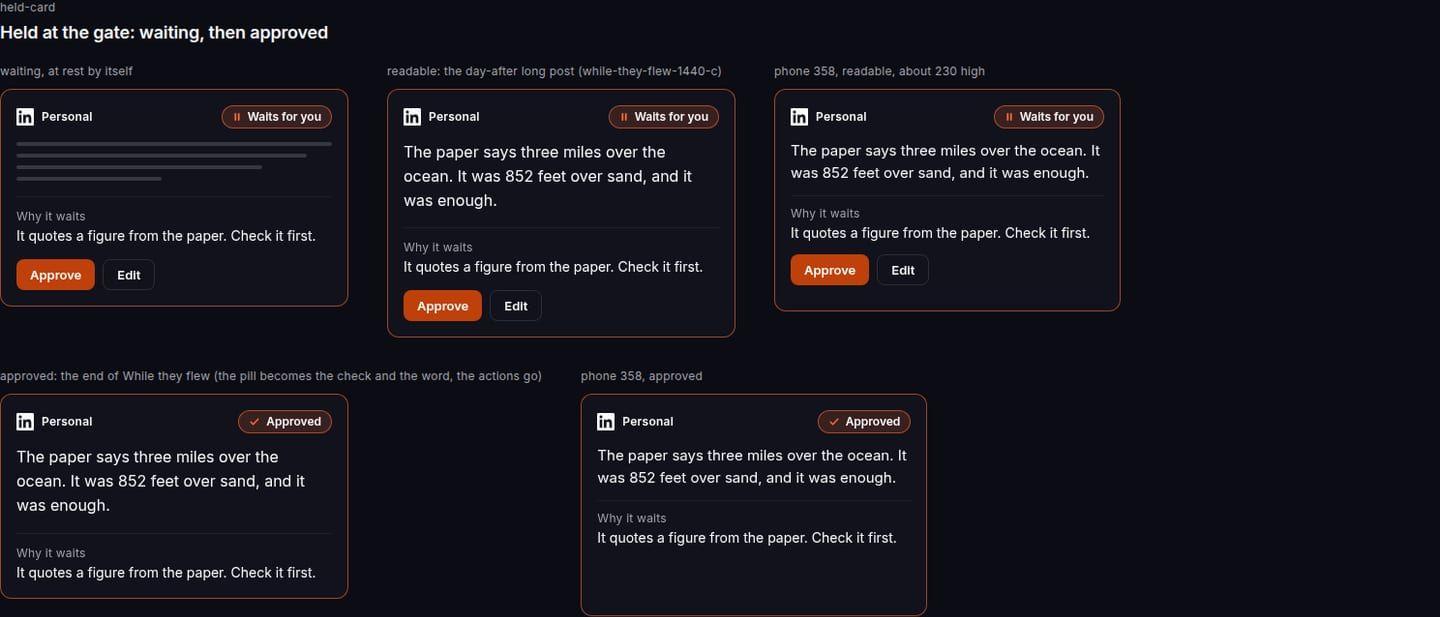
The components are specified against the app's own component set. The build assembles them instead of redrawing them. A few of them:
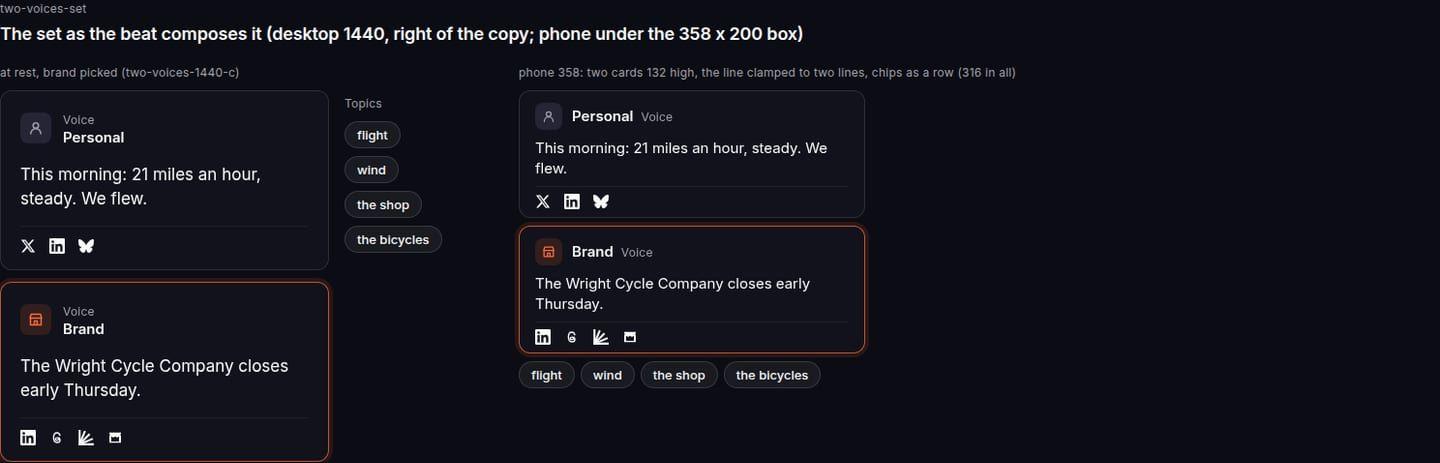
The review of the kit changed a few things, each with a reason:
- The abstract channel marks (a dot, a ring, a bar, a triangle for short, long, page, column) are gone. Channels show as the real platform icons, taken from the app's icon set, and in the build they render from the channel catalog. The rule that no sentence names a channel applies to sentences, never to icons.
- The round dials for The day are gone. The day is a horizontal time strip from 10:35 to noon, with the wires arriving along it.
- The threshold label sits inside the match line, centred, and reads "worth talking about". Never above the line, never over another element.
- Thursday on the week grid reads "Open. Written on the day." The post is written in the lead before its slot, which is what Borker does with an open day.
- The held card ends on "Approved". The final say is shown on screen, at the end of "while they flew".
- The recap beat is three product steps, not three story acts: what comes in, what Borker writes, what goes out.
- Motion is reviewed on the animatic, never in text.
The motion sheets
One sheet per transition, eight in all. Each one records:
- the at-rest frame before and after
- what persists
- what transforms
- the scroll distance it takes
- the easing in words
- the reduced-motion version
- the phone version
A performance budget per sheet names the largest image on screen and the number of animated elements, and allows transform and opacity only.
| Transition | What persists | Scroll, desktop / phone |
|---|---|---|
| Hero into Two voices | The wind, gathering into the thread | 1.50 / 1.20 screen heights |
| Two voices into Sources | The thread, and the chips flight and wind | 1.25 / 1.00 |
| Sources into The plan | The lit wind-table row, which becomes Thursday | 1.75 / 1.40 |
| The plan into The day | Thursday, which grows into the day | 1.75 / 1.40 |
| The day into Every channel | The post, which fans into four | 1.25 / 1.00 |
| Every channel into While they flew | The long post, which stays as the held card | 1.25 / 1.00 |
| While they flew into The world | The held card, sent, first tile of the crowd | 1.25 / 1.00 |
| The world into the static tail | Nothing: the story ends | 0.75 / 0.60 |
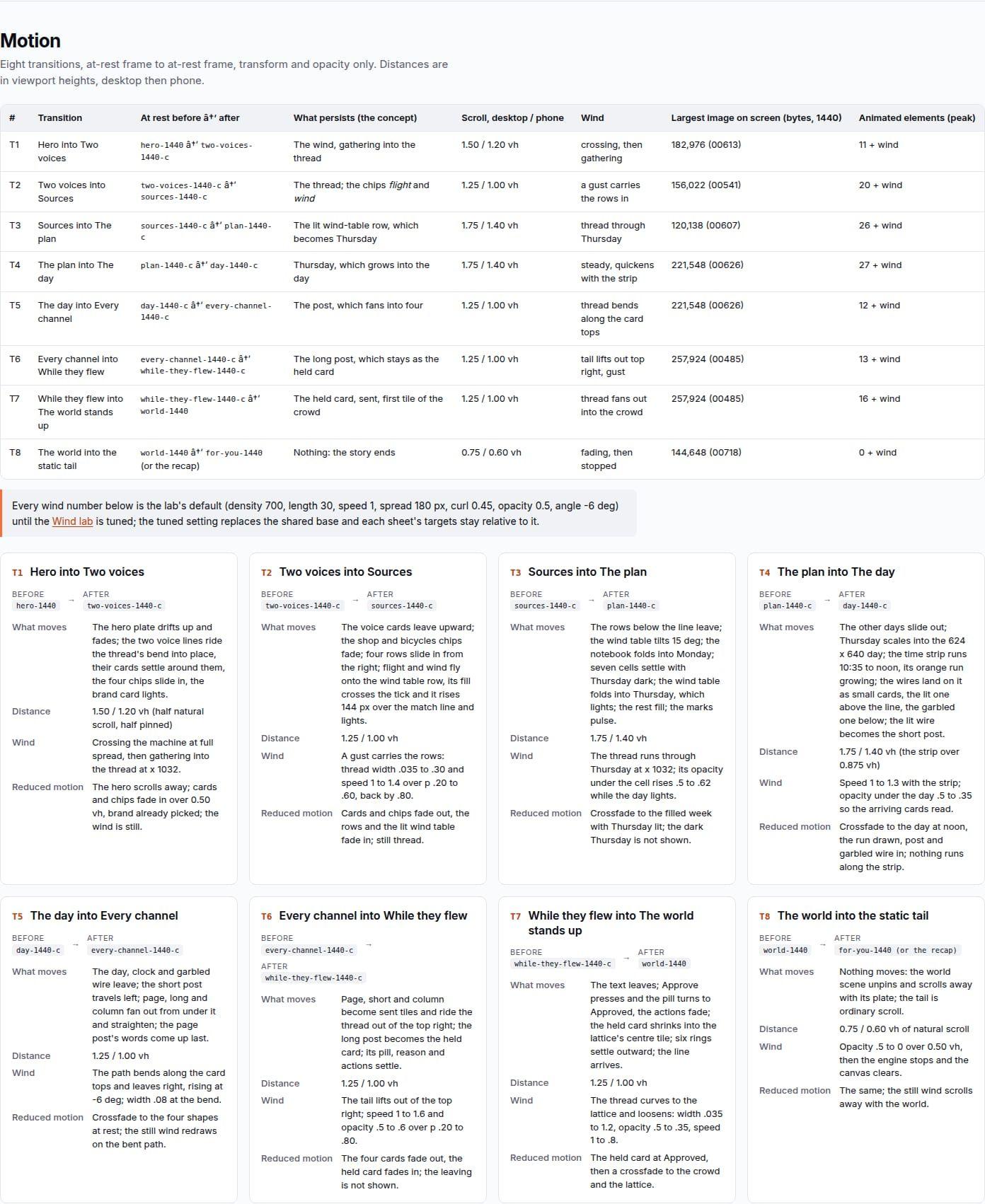
How the page moves, in one paragraph: the story is one wrapper with three fixed layers inside it, the plates at the bottom, the wind canvas in the middle, the cards on top. Plates never move between beats, they crossfade. Each transforming beat is a pinned scene as tall as its transition plus a short dwell. Every still is seen whole. One scroll listener turns scroll position into a progress number, and every animated element is a paused Web Animation whose current time is set from that number. The browser runs the transforms on the compositor, and scrolling back up plays every sheet in reverse, exactly. When one thing becomes another (a row into a day, a day into the whole screen, a card into a tile), the leaving element moves onto the arriving element's box and fades while the arriving one fades in. No layout property animates, ever.
The budget for the whole page:
| Budget line | Limit |
|---|---|
| Images, desktop width | under 1.5 megabytes |
| Landing JavaScript | about 35 kilobytes gzipped, against a 60 kilobyte cap |
| Wind particles | 900 on desktop, 400 on a phone, one canvas |
Every number on those sheets was a target. The next stage measured them, and the first round failed. That is part 7.
The series: hub · part 1 · part 2 · part 3 · part 4 · part 5 · part 6 · part 7 · part 8
New here? Borker is the AI content engine for founders.
We learn your voice, read your sources, plan your week and write each post before it goes out, while you build the actual product.