
A post didn't go out
Why a post missed its time or failed, and how to get it out.
Find the post on the Command Center and read its chip. The chip says where the post stopped, and the color of its left edge matches.
Reading a card
Two kinds of card: a place in your week, and a written post.
flight
Written a few hours before it goes out
- 1Planned, in gray. There is no post yet, and gray is no state.
- 2Its time. The open circle says nothing is written yet.
- 3Its subject, from your strategy or from one of your sources.
- 4When Borker writes it.
- 5Its channel, and where the post will come from.

Three weeks of wind tables said wait. This morning: 21 miles an hour, steady. We flew. Twelve seconds, then fifty-nine.
- 1Its state, in one color on the left edge and on the chip.
- 2When it goes out.
- 3Sensitive, AI-ism or Flagged: a marker when it needs a closer look. The card wears a ring in the same color.
- 4Its picture, when it has one.
- 5The post as written. Words one of your rules caught are tinted.
- 6The channel it goes out on.
- 7Where it came from. Select it to see every post from the same place.
- Needs youWaiting for your review.
- In editYou are editing it.
- Needs a timeApproved, with no usable time.
- ScheduledQueued for its time.
- PublishedAlready live. Read only.
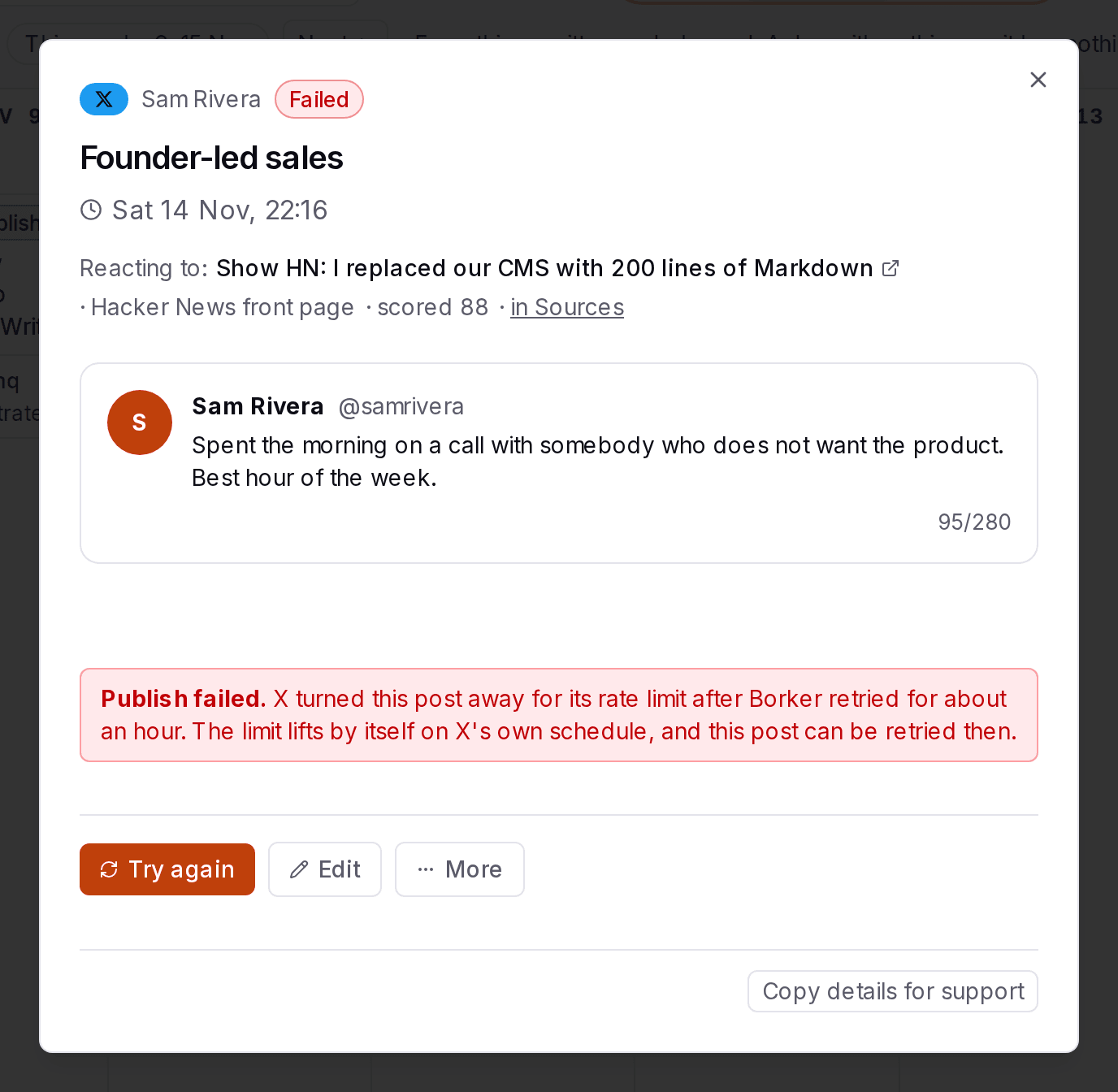
- FailedIt could not go out.
| Chip | Where it stopped | Go to |
|---|---|---|
| Needs you | It was never approved | Still waiting for you |
| In edit | You edited it and did not approve it | Still waiting for you |
| Needs a time | Approved, but it has no time it can go out at | Needs a time |
| Scheduled | Queued. It goes out within a few minutes of its time | Nothing to do yet |
| Failed | The channel turned it away | Failed |
A card in Review that also wears a marker such as Sensitive is held before it goes out. A card with no chip on a time that has passed was still waiting for you when its time came. Open it: approving or scheduling it asks for a new time.
Still waiting for you
On a voice set to Wait for me, nothing goes out until you approve it. Open the post and select Approve. If its planned time has passed, Borker asks when it should go out and fills in your next open time.
Approve can refuse, with the reason written under the button:
Needs a time
The post is approved, but Borker could not queue it at its time, most often because it has none or the time has passed. Open it, select Schedule, and pick a time or Publish now.
Held before it goes out
These posts wait in Review for you, even on a voice that publishes on its own. The card's marker or the post's dialog says why.
Failed
The card is red and prints the reason. Borker does not retry a failed post by itself, apart from waiting out a channel's rate limit. Fix what the reason names, then select Try again.

Keep your connections alive
Most posts that fail do so because a connection lapsed. Borker warns you first.
Watch for Reconnect and Renew. On Content Strategy, a channel that stopped accepting posts shows Reconnect in red. A LinkedIn profile connection lasts 60 days. Near the end, if it needs you, its card shows Renew in amber.
Renew before the date. Renewing signs you in to LinkedIn again in a small window. Sign in as the same LinkedIn account, or the renewal is refused.
Read your email. Borker emails you when a connection drops, and when a LinkedIn connection is close to expiring and still needs you.
How long a connection lasts
Most channels stay connected on their own. One has to be renewed every 60 days.
Whatever its kind, a channel whose connection stops working shows Reconnect on its card.
Read it as steps
- The day you connect a channel is the first day of its connection.
- Most channels then stay connected on their own, or have no expiry date. There is nothing for you to do.
- One kind, a profile, ends 60 days after you approve it. Near the end, Borker renews it for you when it can. When it needs you, its card shows Renew and the day it expires. Once renewed, its 60 days start again.
- If it is not renewed in time, its card shows Reconnect and it cannot publish until you reconnect it. Any channel whose connection stops working shows Reconnect the same way.