
Connecting Channels
Connect X, LinkedIn, Farcaster, and Paragraph channels to Borker.
Borker uses a managed publishing backend to handle the OAuth dance with each social platform. You connect your accounts directly through Borker's own UI — no separate dashboard, no API keys to manage.
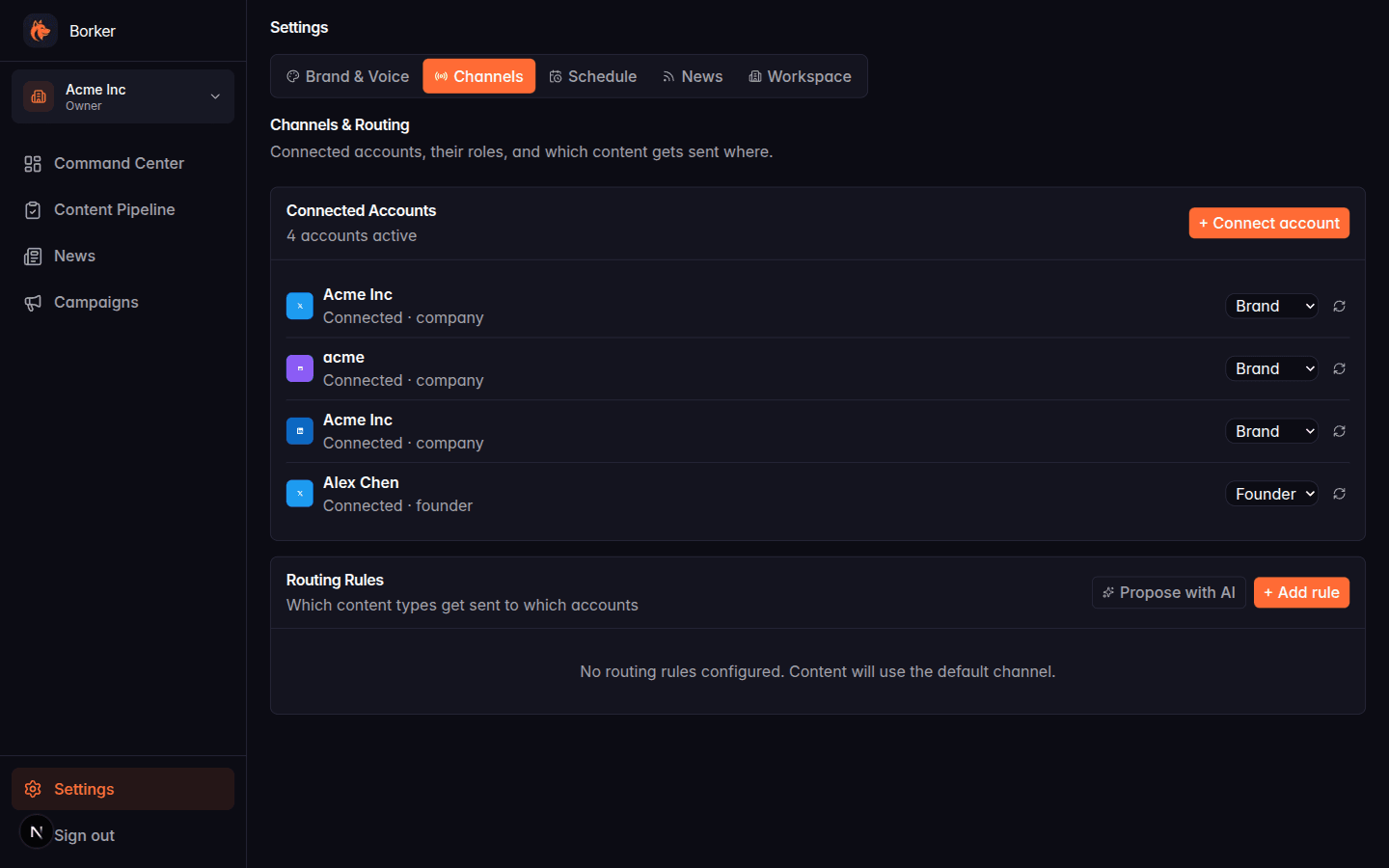
Connecting a channel
- Go to Settings → Channels
- Click + Connect account
- Pick the platform (X, LinkedIn, Farcaster, Paragraph)
- Complete the OAuth flow on the platform's authorization page
- The new channel appears in your channel list
You can connect multiple channels per platform — for example, two X accounts (a brand account and a founder account), or both a LinkedIn company page and your personal profile.
Account types
When you connect a channel you pick one of three account types:
- Company: your main brand account
- Founder: a personal account where you post as yourself
- Product: a product-specific sub-brand
Account type affects content generation tone and enables features like auto-generated founder reshares for LinkedIn company posts.
See Channels & Routing for how account type and routing rules interact.
Platform notes
X (Twitter) Standard OAuth flow. The platform may prompt for two-factor authentication during the connection.
LinkedIn You can connect a personal profile or a company page. Use a separate channel for each — Borker treats them independently.
Farcaster Connects via Warpcast. You'll need a Farcaster account with a connected wallet.
Paragraph Paragraph is a long-form publishing platform (newsletters, blog posts). Connection setup is the same — click Connect on the Paragraph option.
Disconnecting a channel
Click the three-dot menu on any channel in Settings → Channels and select Disconnect. This removes the channel from Borker but doesn't delete already-published content.
Troubleshooting connection issues
OAuth popup blocked: enable popups for your domain in your browser settings, then try Connect again.
OAuth completes but channel doesn't appear: try clicking Sync Channels (super-admin only — see Channels & Routing).
Token expired error during publishing: the platform invalidated your OAuth token. Disconnect the channel and reconnect.
Borker never stores your social platform passwords. The connection is OAuth-only, and you can revoke access at any time from the platform's own settings.