
Daily Generation
The main automation loop that generates content from your calendar slots.
Daily generation is Borker's core automation. Once enabled, it runs once a day and produces draft content for your Pipeline.
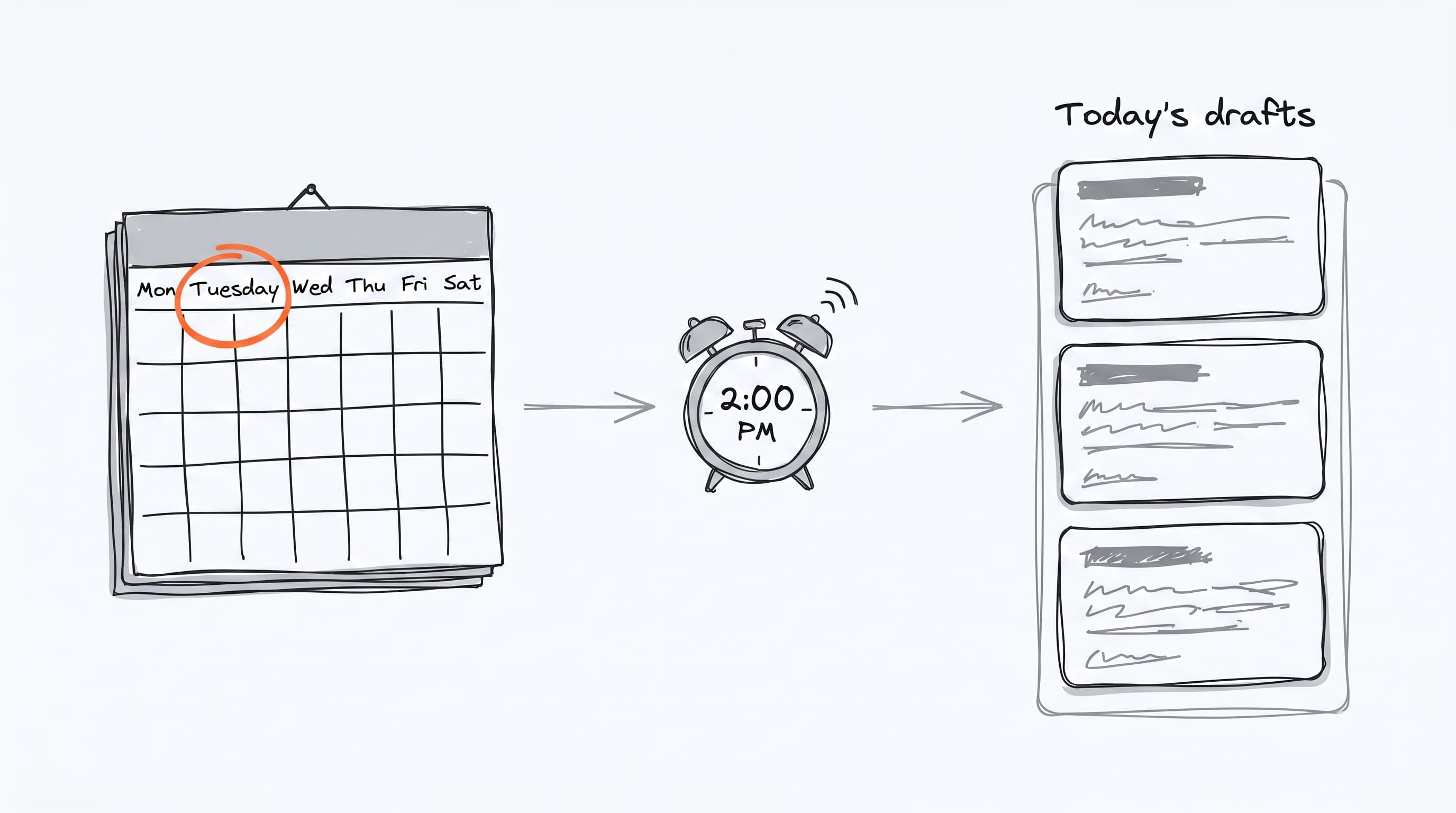
This is the loop that keeps your channels active without you starting from a blank page each morning — every calendar slot you set up becomes one ready-to-review draft on the day it's scheduled for.
What it does
For each of your calendar slots scheduled for today, daily generation:
- Looks up which platform, channel, and content type the slot targets
- Picks a topic from your Brand & Voice → Topics lists (based on Decision Engine scoring)
- Generates a draft post using Claude and your brand voice config
- Drops it into the Pipeline → Review tab
If you have 3 calendar slots for today, you get 3 drafts. If you have 0 slots for today's day of the week, you get 0 drafts.
Enabling it
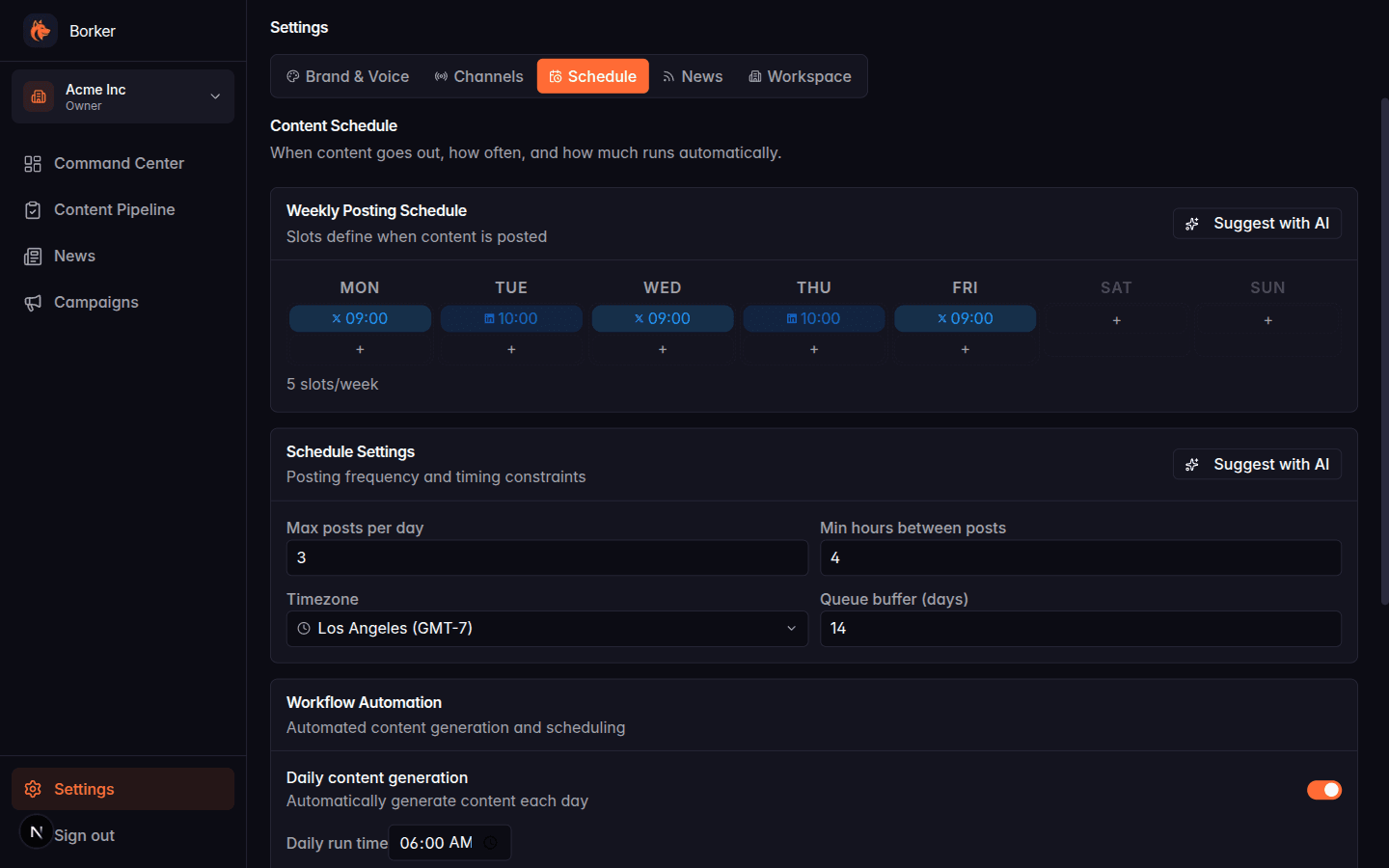
Settings → Schedule → Workflow Automation → toggle Daily content generation on. The run happens once a day at a fixed time; what you control is which slots exist and what they contain.
What you control
Calendar slots
The weekly posting schedule grid (Settings → Schedule → Weekly Posting Schedule) is where you add/remove slots. Each slot specifies:
- Day of week
- Time of day
- Platform
- Content type (X post, X thread, LinkedIn post, etc.)
Click the + button in any day column to add a slot. Click an existing slot to remove it.
You can also have Borker auto-suggest an optimal schedule via the Suggest with AI button.
Topics
Topics (Settings → Brand & Voice → Topics) are the inputs to content generation. They live in three lists — Primary, Secondary, and Adjacent — and the Decision Engine draws from them with a bias toward Primary. See Topics.
Brand voice and writing principles
What the generated content sounds like is controlled by:
- About you (Settings → Brand & Voice): the only claims Borker makes about you
- Standing rules: one-line house rules applied to every draft
- Topics to avoid: subjects no draft is written about
The Decision Engine
When generating content for a slot, the Decision Engine picks a topic and combines it with the slot's content type. It considers:
- Recency: topics used recently get deprioritized
- List weight: Primary topics are favored over Secondary, Secondary over Adjacent
- Slot fit: the slot's content type shapes which topics make sense
This runs per slot independently.
What it produces
One draft content item per calendar slot, in Pipeline → Review with status
draft.
If your auto-approval setting is on (Settings → Schedule → Workflow Automation → approval mode), drafts skip the Review tab and land in Approved directly, which means the same run will schedule them.
What else the run does
Generating drafts isn't the only thing that happens. In the same run, Borker takes everything sitting in the Approved tab without a time and schedules it into your next available calendar slots. That applies to anything you approved since the last run, whatever created it.
That scheduling step runs whether or not daily generation is switched on. Turning the toggle off stops new drafts from being created; it does not stop already-approved content from being scheduled and published.
What it doesn't do
Daily generation does not:
- Approve anything for you (unless approval mode is set to Auto)
- Delete or modify existing content items
- Touch content you've already scheduled by hand
Why didn't a draft generate today?
Common causes:
-
No calendar slots for today's day of week. If you configured slots for Monday/Wednesday/Friday and today is Tuesday, you get nothing. Add slots in Settings → Schedule.
-
Daily generation toggle is off. Check Settings → Schedule → Workflow Automation.
-
Missing Anthropic API key. Content generation fails silently if the key is wrong. Check Settings → Keys.
-
No topics defined. If your Brand & Voice → Topics lists are empty, the Decision Engine has nothing to pick. Add at least a few Primary topics.
-
No connected channels for the slot's platform. If you have an X slot but no X channel connected, that slot is skipped.
-
Generation limit reached. Some plans cap monthly generations. Check Settings → Workspace → Billing for your plan's limits.
Reading the workflow log
The Run workflow button on the Command Center also shows the last run
status in the header area. For detailed logs, check the admin panel at
/admin/logs if you have super-admin access.
Daily generation uses your Topics. News-reactive and Auto-redistribute use different sources. All three can run in the same daily workflow execution but they're independent — turn on only the ones you want.